
The virtual card is free and the monthly fee is zero, which is why I keep recommending it to wallet users and warning everyone else about the gaps
 Available in US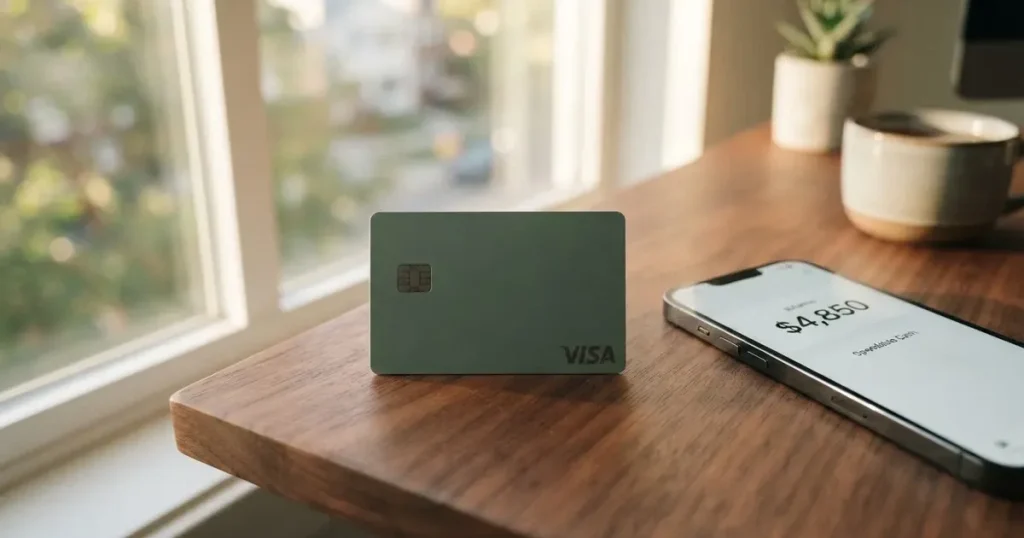
The Kryptonim Card gives me an unusual combination to sit with. On the cost side, it looks genuinely generous: the virtual card is described as free, there are no monthly fees for it, and the demo top-up screen shows a 1.00 EUR deposit with a 0.00 EUR fee and a 0.00 EUR network fee. On everything else, the card’s own public pages go quiet. There is no country list, no stated physical-card price, no published conversion or foreign-exchange fee, no spending-limit figures, no named card issuer, and a run of FAQ questions on the card page that have no answer in the page text at all. Add to that a daily-use picture where Google Pay is mentioned but Apple Pay and cash machine access are not, and you get a card that is easy to start and hard to plan around. My score for it is 6.1 out of 10. It suits people who already keep money in the Kryptonim Wallet and just want a free virtual Visa to spend from that balance. It does not suit anyone who needs a card with predictable fees, published limits, or a clearly named issuer behind it.
The conditions described here are current as of October 28, 2026.
Score Breakdown
The table below sets out each criterion I scored, the mark I gave it, and a short reason in my own words. The reasons are my reading, not the card’s wording.
| Criterion | Score | Why |
|---|---|---|
| Who can get it | 5 / 10 | No country list on the card pages; the card is described as usable “where VISA cards are accepted” |
| Cost | 8 / 10 | Virtual card free, no monthly fee; demo top-up shows a 1.00 EUR deposit with 0.00 EUR fee and 0.00 EUR network fee; physical price and FX not disclosed |
| Top-up options | 5 / 10 | Top-up by QR code in Kryptonim Wallet, automatic conversion of digital assets; coins and networks not named |
| Reliability and complaints | 6 / 10 | Group structures include Swaps Ltd (FCA), QuantiPay AG, KTM Virtual Services (FINTRAC); card issuer not named; no complaints found for the card; unofficial Trustpilot 3.2/5 from 166 reviews for the related on-ramp service |
| Everyday use | 6 / 10 | Virtual or physical Visa; Google Pay exists; Apple Pay and ATM access not disclosed |
| Total | 6.1 / 10 | Free to hold and simple to fund, thin on disclosure |
Will They Give You the Card?
The honest answer is: the card pages do not tell me. There is no published list of countries on them. What the card does say is that it works “anywhere VISA are accepted”, which describes where you can spend, not where you can sign up. Those are two different questions, and only the second one decides whether the card is yours at all. If your reason for looking at a crypto card is that an ordinary bank card is awkward for you to get where you live, this is precisely the section where you need clarity from the company, and clarity is what the public pages withhold.
There is one more piece of context worth holding onto. Verification happens before the card arrives: the card page says you get your free virtual card “shortly after account verification”. That verification is the door, and the card pages do not name the countries it opens for. I would not read anything into the spend network being global; acceptance at a shop is a property of the Visa network, not a promise of eligibility.
The company behind the name
Kryptonim’s site lists several entities: Swaps Ltd (England and Wales, no. 11850124, “registered with the UK Financial Conduct Authority (FCA) as a cryptoasset business”); QuantiPay AG; KTM Virtual Services Inc. (British Columbia, FINTRAC MSB M23813101); Kryptonim Colombia; and Kryptonim sp. z o.o. as data controller. Two things follow. First, this is a group with registrations in several jurisdictions, which can be a sign of reach and of compliance effort. Second, and this is the part that matters for a card, the page does not link these entities to the card. The card issuer, which in a card payment is the licensed institution that actually holds the card programme, is not stated. When you hold a card, you are holding a claim against an issuer. Here I cannot tell you which institution that claim runs to.
What that means for you
If you are weighing Kryptonim because a bank card is hard for you to obtain, treat the country question as unanswered rather than as open. Do not assume that because you can see a Visa network at the till, you can be issued the card. And if the issuer is the detail you care about most, ask before you commit, because the site’s own card pages will not tell you.
How to Get It
The path is short and it starts with verification. The card page’s own line is that you get your free virtual card “shortly after account verification”, so account verification is the step that gates everything. What documents you need, what age you must be, and whether proof of address is required are all not stated on the pages I could read. I would rather tell you that plainly than invent a checklist.
There are two form factors. You can hold a virtual Kryptonim Card or a physical Kryptonim Card, and it is a Visa that works “anywhere VISA are accepted”. The currency the card holds or spends is not stated. Delivery is another silence: how long a physical card takes to arrive, or where it ships, is not stated on these pages. Whether verification comes in tiers, with different limits or features per level, is also not stated. You should expect a smooth, app-shaped start, because that is what the page describes, and then a card that arrives without much ceremony once verification clears.
The shape of the start
You verify the account, you get a virtual card shortly after, and you can choose physical if you want one. Everything else about the process — paperwork, age, delivery — is either handled before you see the card or simply not published. That is a fine way to build a quick free card, and a poor way to plan a life around one.
What It Really Costs: Fees
Here the Kryptonim Card is at its strongest and its most evasive in the same breath. What I can confirm from the pages: there are no monthly fees for the virtual card, and the virtual card is described as free. What I cannot confirm: the price of the physical card, and any conversion or foreign-exchange fee. On the funding side, the demo deposit screen for a 1.00 EUR deposit shows “Fees 0.00 EUR, Network fee 0.00 EUR”, which is reassuring about that particular flow but is a demo, not a promise about your own deposits. The card page also refers to “Automatic conversion of digital assets”, which tells you conversion happens but not what it charges. Tiers, and the currency the card works in, are not stated.

The costs table below is everything the pages actually publish. Where a line reads “not stated”, that is the honest state of the disclosure, not a zero.
| Fee or limit | What the card pages say |
|---|---|
| Issuance (virtual) | Free; described as a free virtual card |
| Issuance (physical) | Not stated |
| Monthly fee | No monthly fees for virtual card |
| Conversion fee | Not stated; page mentions “Automatic conversion of digital assets” |
| Foreign-exchange fee | Not stated |
| ATM / cash machine fee | Not stated |
| Deposit fee (demo) | 1.00 EUR deposit shows Fees 0.00 EUR, Network fee 0.00 EUR |
| Spending limits (daily / monthly) | Not stated |
| Tiers | Not stated |
| Card currency | Not stated |
There is also a fee-shaped question the card’s own FAQ raises and then leaves open: “Are there any fees for Kryptonim Card?” has no answer in the page text. That is telling. The question is on the page, which means the company thought it worth asking, but the answer is not in the text I could read.
Two or three everyday payments, and which fees apply
Let me take three ordinary situations and walk through what I can and cannot say about the cost of each.
- Buying a coffee in your local currency with the virtual card. The card is a Visa, so it will present as one to the till. Whether the transaction carries a currency conversion on the Kryptonim side, and at what rate, depends on the undisclosed conversion and FX fees. The price of the coffee is therefore knowable at the shop but not fully knowable from the card’s published information.
- Paying for something online, in a currency other than your own. Same unknowns: the conversion fee and FX fee are not stated, so the final amount you are charged can differ from the amount you expect.
- Tapping to pay in person with a phone wallet. Google Pay is offered for the Kryptonim Card. The cost of that payment is still the same underlying spend; what it does not tell you is what happens if the phone wallet path adds steps or blocks.
The pattern is simple. Every fee you would meet in daily use — conversion, foreign exchange, cash machine — sits on the “not stated” side of the table. The zero-fee facts are all about holding the card and about one demo deposit. Those are real, and they are why the cost score is the highest here. But a free card you cannot price is a different thing from a free card that is cheap.
How to Top Up
Topping up happens in the Kryptonim Wallet, by scanning a QR code. The card page describes it that way and adds that digital assets convert automatically. Which coins and which networks are accepted is not named on the page. So the mechanic is clear — a QR-code top-up inside the wallet, with automatic conversion — but the specifics of what you can send are not, and that is exactly the detail that determines whether your money arrives.
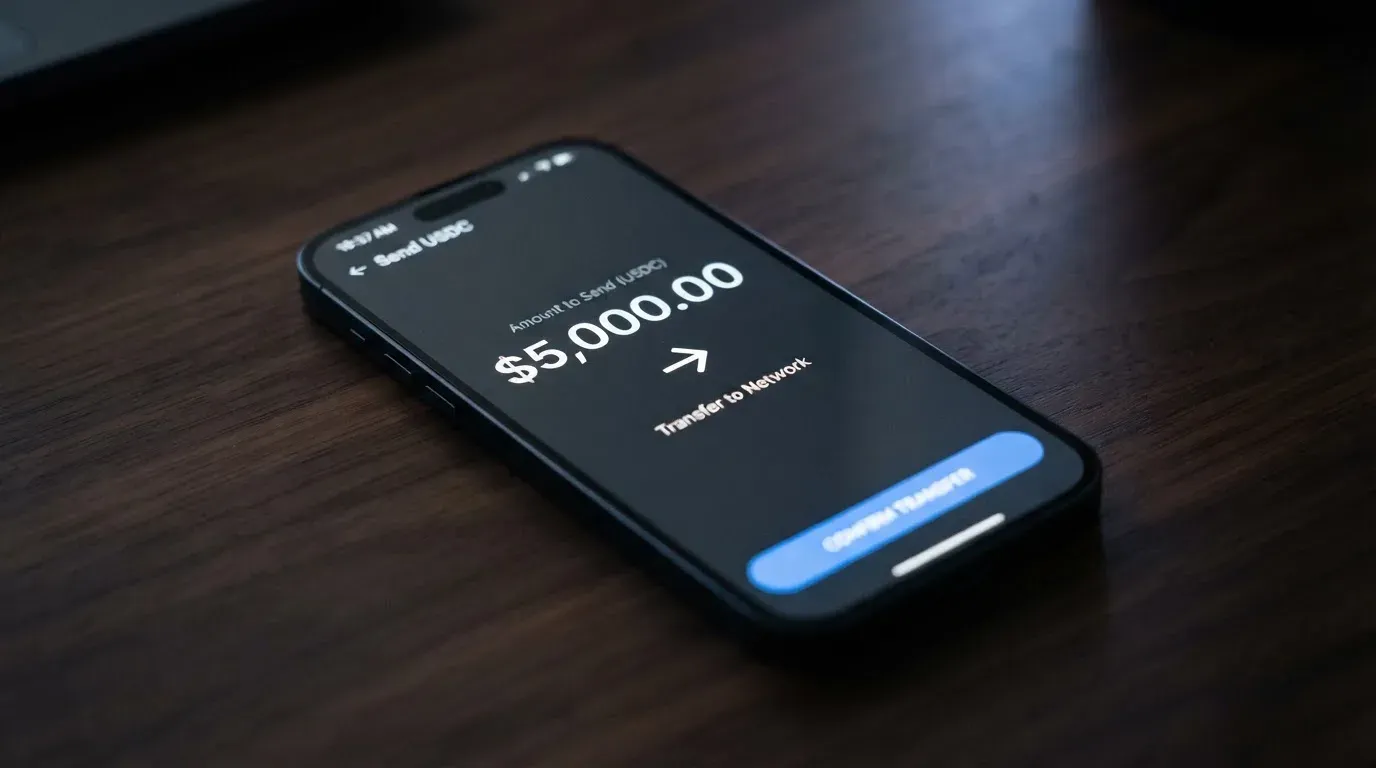
The demo deposit screen is worth a second look. For a 1.00 EUR deposit it displays “Fees 0.00 EUR, Network fee 0.00 EUR”. Note what that is: a demo, and a demo of a fee-free deposit. Minimums and any fiat top-up options are not stated. And there is an open question on withdrawals: the FAQ asks whether the balance can be withdrawn to the wallet or to a bank, and the page text carries no answer. So the direction of value into the card is documented; the direction back out is asked about but not answered.
Why the network detail matters
When you send crypto, the network you choose has to be one the provider supports, and the address has to match that network. A transfer sent on the wrong network, or to an address belonging to another network, can be lost or need manual recovery with no guarantee. This is a property of blockchain transfers generally, not a warning about Kryptonim specifically, but it is why “coins and networks not named” is a real gap and not a quibble. I would want to know which networks to send on before I sent anything.
Paying With It Every Day
Day to day, the Kryptonim Card behaves like a prepaid Visa: it is either a virtual or a physical card on the Visa network, and you add it to Google Pay. The card page links Google’s terms for that. Apple Pay is not mentioned, and cash-machine access is not disclosed. Blocked merchant categories are not stated either, so you do not know in advance what kinds of purchase might be declined.
The wallet app side is simple on the surface: the page carries an iOS link to “Kryptonim Wallet”. I did not read store ratings, so I will not characterise them. Rewards or cashback on spending are not stated for this card. And there is one more open question, on refunds: the FAQ asks where a merchant refund goes, and the page text does not answer. That is a question you want answered before you rely on the card for anything you might have to return.
Set against that, the general shape of any crypto card helps. A payment card number starts with a 6- or 8-digit issuer identification number that says which institution issued it; the rest identifies the account. Merchants can look that up, and a card issued in one country can read as “foreign” to a shop in another, which is where extra scrutiny, and sometimes a decline, comes from. So the way to think about daily use is: this is a prepaid-style card spending a balance you have loaded, and the friction you meet at unfamiliar tills is more about the card’s foreignness and its category than about Kryptonim itself.
What Can Go Wrong
Nothing alarming about this card has surfaced. I found no official incidents and no card-specific complaints. But the absence of complaints on a thin public record is not the same as a track record, and there are several specific ways this card could still let you down.
- The issuer is not named. The group entities on the site are not linked to the card, so the institution you hold a claim against is unstated.
- The country list is not published, so eligibility is unresolved even though acceptance is broad.
- Fees beyond holding and the demo deposit are undisclosed: conversion, FX, ATM.
- Limits and tiers are not stated, so what the card will let you do day to day is undefined on paper.
- Apple Pay and ATM access are not disclosed, which narrows the everyday toolkit.
- Blocked categories are not stated, so declines can be a surprise.
- Custody is not stated. The page’s only security guidance is “Never share your private keys or sensitive information”. Whether the card’s funds are custodial (the provider holds the credentials) or self-custody is not said, and that choice carries real consequences.
The custody question deserves your attention
This is the background point I would not let slide. Who holds the keys decides who you trust. With a custodial wallet the provider holds the credentials, so you must trust them completely. With a self-custody-linked card your funds stay in your own wallet until the moment of payment, but then you alone carry the risk of key loss, phishing, and clipboard-hijacking malware that swaps a copied address. Crypto transfers are typically irreversible; a stolen private key has no recovery, because the network cannot freeze or return funds. Custodial platforms have a real history of failure: Mt. Gox (about US$350 million reported stolen, 2011-2014), Coincheck (about US$400 million, 2018), and Ronin Network (US$625 million, 2022). So “not stated” on custody is not a neutral gap; it is the question I would most want answered.
The company around it, and unofficial word
The card itself drew no complaints. The related on-ramp service at Kryptonim — not the card — carries an unofficial user picture on Trustpilot at 3.2 out of 5 from 166 reviews, with complaints of unpaid withdrawals and a deposit not returned for weeks. That is user report on a third-party site and is not confirmed by the card. I would not hang a conclusion on it, but I would keep it in mind alongside the unanswered withdrawal question in the FAQ: value coming out of the balance is exactly the area where the public record is thinnest.
General risks of crypto cards
Two general risks sit under any card like this. First, a card programme can simply be wound down. Visa terminated its global agreements with FTX in November 2022 and the FTX US debit card was being wound down by its issuer; WaveCrest, a Visa issuer that supplied crypto card brands, was suspended by Visa in Europe in 2018, closing all its Visa programmes. When a programme closes, the usual sequence is a notice period, then loading and spending stop, then you are asked to withdraw what’s left. So the question of who the issuer is is not paperwork trivia; it is the question of who is standing there at the end. Second, a card network can restrict a tokenised mobile number, and some merchants decline prepaid or foreign-issued cards outright because the issuer lookup reveals the type and country.
There is a regulatory angle too, worth one paragraph of context. A card is a payment service, regulated separately under e-money and payment-services law, while crypto-side rules (MiCA in the EU, for instance) cover custody, exchange and transfer. A crypto card often depends on two licences at once. Electronic money institutions must safeguard customer funds by segregating them or insuring them, but such funds are not the same as bank deposits and may not sit under a deposit guarantee scheme. So the money behind this card may be safeguarded without being bank-guaranteed — a distinction that matters precisely because the issuer here is unnamed.
What to Take Instead
If the gaps I have described are the dealbreaker for you, three alternatives come up in the same category, each with its own trade-offs. I have scored them on the same basis for comparison. None of them fixes every problem; they simply push the trade-offs in different directions.
CardFlow (score 4.9 / 10). Aimed at Nigeria, described as “Nigeria’s smartest fintech card platform” serving “Nigerians and global users”, with no country list or exclusions stated. It is a virtual USD Mastercard, created in minutes. Creating a virtual card is “completely free” (its site FAQ); a monthly fee is not stated, and other fees are not stated either. Funding is by Bitcoin, USDT, ETH or a Naira bank transfer, networks not stated. Rewards not stated. It is the most focused of the three, and also the least documented.
HyperCard (score 4.7 / 10). Official pages state no country list; the App Store says the card works in “more than 176 countries”, which is acceptance rather than eligibility. It is a prepaid “HyperCard”, network not stated on the App Store page, with the balance in USD or EUR. Cost is not stated; the App Store page lists no fees. You deposit crypto such as USDT, BTC or ETH in the app, and it is converted to USD or EUR on the card; networks not stated. Rewards not stated.
Card.fi (score 6.6 / 10). The most fully specified of the three, which is itself worth something. Its banner says cards ship to “200+ countries”, and its terms bar residents of, or orders from, “a country subject to sanctions that would prohibit the service”, with no citizenship-versus-residence rule beyond that. It offers Virtual Classic and Virtual Premium, physical Classic and Premium, and a metal (stainless steel) option; every physical order includes a virtual card; cards are issued “under licence from the relevant card schemes” (Visa/Mastercard not named); card currency not stated.
| CardFlow | HyperCard | Card.fi | |
|---|---|---|---|
| Score | 4.9 / 10 | 4.7 / 10 | 6.6 / 10 |
| Who | Nigeria-focused; “Nigerians and global users” | No country list on official pages | Ships to “200+ countries”; sanctions-barred countries excluded |
| Card | Virtual USD Mastercard | Prepaid “HyperCard”; network not stated | Virtual and physical, Classic/Premium/metal; scheme not named |
| Cost | Virtual card “completely free”; monthly fee not stated | Not stated; App Store lists no fees | One-time: Virtual Classic $49, Virtual Premium $249; physical and metal not listed; no monthly, annual, inactivity or minimum-balance fee |
| Fees | Not stated | Not stated on pages read | Top-up: Classic 1.5% + $1.00, Premium 1%; FX: Classic 3.5%, Premium 2.5% |
| Top-up | BTC, USDT, ETH or Naira transfer | USDT, BTC, ETH in-app | 32 coins across 5 networks (Ethereum, Base, BNB Chain, Solana, Kaanch); converted at market rate on arrival |
| Rewards | Not stated | Not stated | Cashback on card spending only: Classic 0.8% (cap 10 USDT/month), Premium 1%, Metal 1.2% or 2% by tier |
Two things stand out in that comparison. Card.fi is the only one of the four cards here — Kryptonim included — that publishes its actual fee percentages, its price ladder, and the networks it accepts. It also publishes its risks: wrong-chain deposits risk permanent loss. That transparency is what Kryptonim currently lacks, and it comes at a price (the one-time fees) that Kryptonim does not charge. So the honest trade is: Kryptonim for free and simple, Card.fi for legible and itemised. HyperCard and CardFlow sit in between on focus but publish the least.
Who I Would Recommend It To
I would recommend the Kryptonim Card to someone already inside the Kryptonim Wallet who wants a free virtual Visa to spend from that balance and does not need the fee schedule written out in advance. For that person the value is real: no monthly fee, a free virtual card, a Google Pay option, and a top-up that starts with a QR code in the app they already use. If you hold crypto in that wallet and just want to turn some of it into everyday spending, this does the job at no recurring cost.
I would not recommend it, without answers first, to someone who needs certainty. If you are trying to solve a problem with banking access, the country list being unpublished is disqualifying until the company tells you otherwise. If you are budgeting tightly, undisclosed conversion and FX fees make the true cost of a purchase unknowable in advance. If you cash out often, the unanswered withdrawal question and the unofficial complaints about the related on-ramp service deserve a direct answer. And if you hold larger balances, decide the custody question deliberately rather than inheriting whatever the default turns out to be.
My mark for the card is 6.1 out of 10, and the shape of that number is the whole review in miniature. The good half is real and specific: free virtual card, zero monthly fee, a clean in-app top-up. The missing half is disclosure. Same card, same wallet, same Visa acceptance — but the version you can rely on depends entirely on how much of the fine print you had to guess.
Frequently asked questions
What is the Kryptonim card?
The Kryptonim Card is a Visa payment card offered by the Kryptonim Wallet service in virtual or physical form. It works like a prepaid card: you load money, it converts as needed, and you spend from that balance. The card is described as usable anywhere Visa is accepted. Its advantage is that the virtual version is free with no monthly fee. Its main limitation is that the public pages publish little about limits, fees beyond holding, or the issuing institution.
How does the Kryptonim card work?
It works as a prepaid-style Visa. You convert or top up a fiat or stablecoin balance in the Kryptonim Wallet, and the card spends only that balance, so it cannot overdraw. Top-ups are made by QR code scanned in the wallet, and the page refers to automatic conversion of digital assets. The card page says you get the free virtual card shortly after account verification.
Who owns Kryptonim?
Kryptonim’s site lists several entities: Swaps Ltd (England and Wales, no. 11850124, registered with the FCA as a cryptoasset business), QuantiPay AG, KTM Virtual Services Inc. (British Columbia, FINTRAC MSB M23813101), Kryptonim Colombia, and Kryptonim sp. z o.o. as data controller. The card issuer itself is not stated, and the page does not link these entities to the card.
Is the Kryptonim card free?
The virtual card is described as free and has no monthly fees. A demo top-up screen shows a 1.00 EUR deposit with a 0.00 EUR fee and a 0.00 EUR network fee. Beyond that, the physical card price, conversion fee and foreign-exchange fee are not stated, so “free” refers to the virtual card’s issuance and monthly cost, not necessarily to every transaction.
Does the Kryptonim card require KYC?
Yes, in the sense that you get the card shortly after account verification, so an identity check is part of the process. What documents, what minimum age, and whether proof of address is needed are not stated on the card pages. EU rules generally require name, address, date of birth, nationality, ID documentation, a sanctions check, and a politically-exposed-person determination.
Is the Kryptonim card available in my country?
The card pages publish no country list, so eligibility is unresolved. What is stated is that the card works “anywhere VISA are accepted”, which describes where you can spend rather than where you can sign up. Because many people look at crypto cards precisely because a normal bank card is hard to get, this is the question to put to the company directly before relying on it.
How do I top up the Kryptonim card?
You top up by scanning a QR code in the Kryptonim Wallet, and digital assets convert automatically. The coins and networks accepted are not named on the page, and minimums and any fiat options are not stated. Choose the network carefully: a transfer sent on a network the provider does not support, or to an address of another network, can be lost.
Can I add the Kryptonim card to Apple Wallet?
The card page tells you that you can add the Kryptonim Card to Google Pay, with Google’s terms linked. Apple Pay is not mentioned on those pages, so I cannot confirm it is supported. Cash-machine access is also not disclosed. If a phone wallet is central to how you would use the card, ask about Apple Pay before you commit.
Is the Kryptonim card safe?
It carries the ordinary risks of a crypto card, and they are not small. The issuer is not named, custody (whether the provider holds your keys) is not stated, and the site’s only security advice is never to share private keys or sensitive information. Crypto transfers are typically irreversible. Custodial platforms have failed before — Mt. Gox, Coincheck and Ronin Network among them — so weigh who holds the funds before you load a large balance.
Is the Kryptonim card worth it?
Worth it if you already use the Kryptonim Wallet and want a free virtual Visa with no monthly fee to spend from a balance you have loaded. Less clearly worth it if you need published spending limits, a known foreign-exchange cost, cash-machine access, or a clearly named issuer behind the card, because none of those are stated on the public pages. Compare it against an alternative that itemises its fees, such as Card.fi, if predictability matters more than a zero monthly charge.
Virtual cards: picking one for online use – cryptocardpicker
Content created by the «cryptocardpicker» team