
HyperCard scored 4.7 out of 10 — and the gaps in its own documentation matter more than the features
 Available in US
HyperCard looks, on paper, like a practical answer for anyone who wants to spend crypto without opening a normal bank account: a prepaid card, a balance in USD or EUR, an app for iPhone, Apple Pay and Google Pay, and acceptance at what the store listing calls “tens of thousands of ATMs worldwide.” The trouble starts when you try to find the details you would need to actually rely on it. The official pages name no issuing bank, no licence, no fees, no country list, no identity checks and no spending limits. The information that does exist comes mostly from a tutorial published by the company itself on Medium, and it is undated. That is not a small complaint about presentation — it is the central fact about this card.
My score is 4.7 out of 10. It suits one group specifically: people who already use the HyperPay wallet, already have money in it, and want a prepaid card that spends that balance in dollars or euros without further fuss. For everyone else — and especially for anyone choosing a card on the strength of a promise to “work in 176 countries” — the missing half of the picture is the answer, not a footnote.
The conditions described here are current as of October 28, 2026.
| Criterion | Mark | Why |
|---|---|---|
| Who can get it | 5 / 10 | The official pages name no country; the App Store says the card works in “more than 176 countries”, which is where it is accepted, not who may hold it |
| Cost | 6 / 10 | No fees are stated anywhere official; unofficially “0 KYC fee”, with no annual fee and no transaction fee for some cards |
| Top-up options | 6 / 10 | Deposit USDT, BTC or ETH in the app and convert to USD or EUR; the networks are not named |
| Reliability and complaints | 2 / 10 | Store reviews accuse the app of being a scam; 3.3 from 135 ratings, two-thirds negative; no issuer or licence named |
| Everyday use | 4 / 10 | Prepaid HyperCard with a USD or EUR balance, “tens of thousands” of ATMs, Apple Pay and Google Pay; the card network is not named |
| Total | 4.7 / 10 | A thin official disclosure wrapped around a working-looking product |
Will they give you the card?
The honest answer is that the card’s own pages do not tell you. There is no country list on the official site, and no statement about citizenship, residence or which applicants are accepted. What you will find instead is a line on the App Store listing saying the card works in “more than 176 countries.” Read that carefully, because the two things are not the same. It is a statement about where the card can be *used* — acceptance by merchants and ATMs — not about who can be *issued* one. Plenty of services are available in a country and still refuse applications from residents of it.
If your question is “can I use HyperCard in my country,” the answer is probably closer to yes than no, for the reason above: acceptance is broad. If your question is “will they issue me a card,” the answer is not published, and that is the question you need answered first.
| What the official pages say | What they do not say |
|---|---|
| The card works in “more than 176 countries” (App Store) | Which countries may apply |
| The card balance is in USD or EUR | Whether nationality or residence affects eligibility |
| Prepaid “HyperCard” | The card network or issuing bank |
Some structure does exist in how the card is sold. The card is described as prepaid, which means it draws on a stored balance rather than a bank account — I’ll come back to why that matters for costs. The balance sits in either US dollars or euros. Beyond that, the public pages say nothing about eligibility.
How to get it
You download the iOS app. The App Store listing for the HyperPay app is the front door; there is no desktop or web application described in the materials I could read, and the Google Play situation is not stated. The card is called HyperCard, and the card network it runs on is not stated on the store page — that is worth pausing over, because it determines which merchants and which ATM networks will accept it.
On identity checks, the position is a straight gap. The official pages do not state whether HyperCard requires KYC, and they do not state what tiers of verification exist. There is a company-published tutorial that fills some of the space: it says that after you pay, your status becomes “Applying” while a bank reviews the application, that approval can take up to 24 hours on working days, and that activation is then immediate. That comes from an undated Medium tutorial attributed to HyperPay, so treat it as unofficially reported rather than as a published policy — and note that it describes a bank doing the review, which raises the obvious question of which bank. That is not named.
Nothing is stated about delivery either. Whether the card is physical, whether it arrives by post, how long it takes and whether it costs anything are all unpublished. Neither is the activation method beyond the tutorial’s one-line mention of immediate activation after approval.
Who is behind all this is thin as well. The app developer is listed as CIPHERBC PTE. LTD., with a copyright line reading HYPER BC PTE. LTD. The issuing bank and any licences are not stated. There is also a naming wrinkle: the brand was renamed from HyperPay to HPX, and the old hyperpay.tech address now redirects to hpx.com. A redirect is not a scandal, but it does mean that third-party guides, reviews and forum answers you find on the web may point at a brand name that no longer appears on the app you downloaded.
Fees and what they are not telling you
Here is the blunt version: the fees are not stated. The App Store page lists no fees, the official pages I could read list no fees, and the fee schedule for ATM withdrawals, foreign-currency spending and conversions is simply absent. What the company-published tutorial says, unofficially, is “0 KYC fee”, with no annual fee and no transaction fee for certain cards. Note both qualifiers — “for certain cards”, and “unofficially”.

So the table below has a strange shape: most rows say the same thing. I have left them in rather than compressing them, because a reader comparing options deserves to see exactly which lines are empty. A card that publishes no fee schedule is not the same as a card that charges no fees.
| Fee or limit | What the card’s own pages say |
|---|---|
| Issuance fee | not stated |
| Monthly fee | not stated |
| Conversion fee (crypto to USD/EUR) | not stated |
| Foreign-exchange fee | not stated |
| ATM fee | “tens of thousands of ATMs worldwide accept it”; fee and allowance not stated |
| Daily spending limit | not stated officially; unofficially “50,000 US dollars / no limit” — the wording is inconsistent with itself |
| Monthly limits | not stated |
| Tiers | not stated |
| Card balance currency | USD or EUR |
| KYC fee | unofficially “0 KYC fee” |
Three everyday payments, to make the gaps concrete:
Paying in your local currency abroad. A card that spends a US-dollar or euro balance in, say, a local currency outside the dollar zone means a conversion, and the rate and the fee for it are both unpublished. This is the single most common thing people do with a travel or crypto card, and it is the one thing I cannot price from the card’s own material. Treat the cost as unknown.
Paying in a shop that accepts the card’s network. Whether the payment goes through depends on the card network, which is not named on the store page. If you are trying to pay somewhere that declines prepaid cards or foreign-issued cards, you are relying on an unpublished fact on both counts.
Withdrawing at an ATM. The store listing’s claim of “tens of thousands of ATMs worldwide” is the one genuinely attractive thing about this card, and it is paired with no fee figure and no allowance at all. An ATM fee can exceed the whole amount you intend to withdraw, so this is the row to press the operator on before you travel.
Top up
The mechanism is straightforward, and it is the part of the product that most closely matches its audience. You deposit crypto — USDT, BTC or ETH — in the app, and it is converted to USD or EUR onto the card. The card then spends that stored balance. This is the “pre-loaded balance” model: you convert first, the card spends only what you loaded, and the card cannot overdraw.
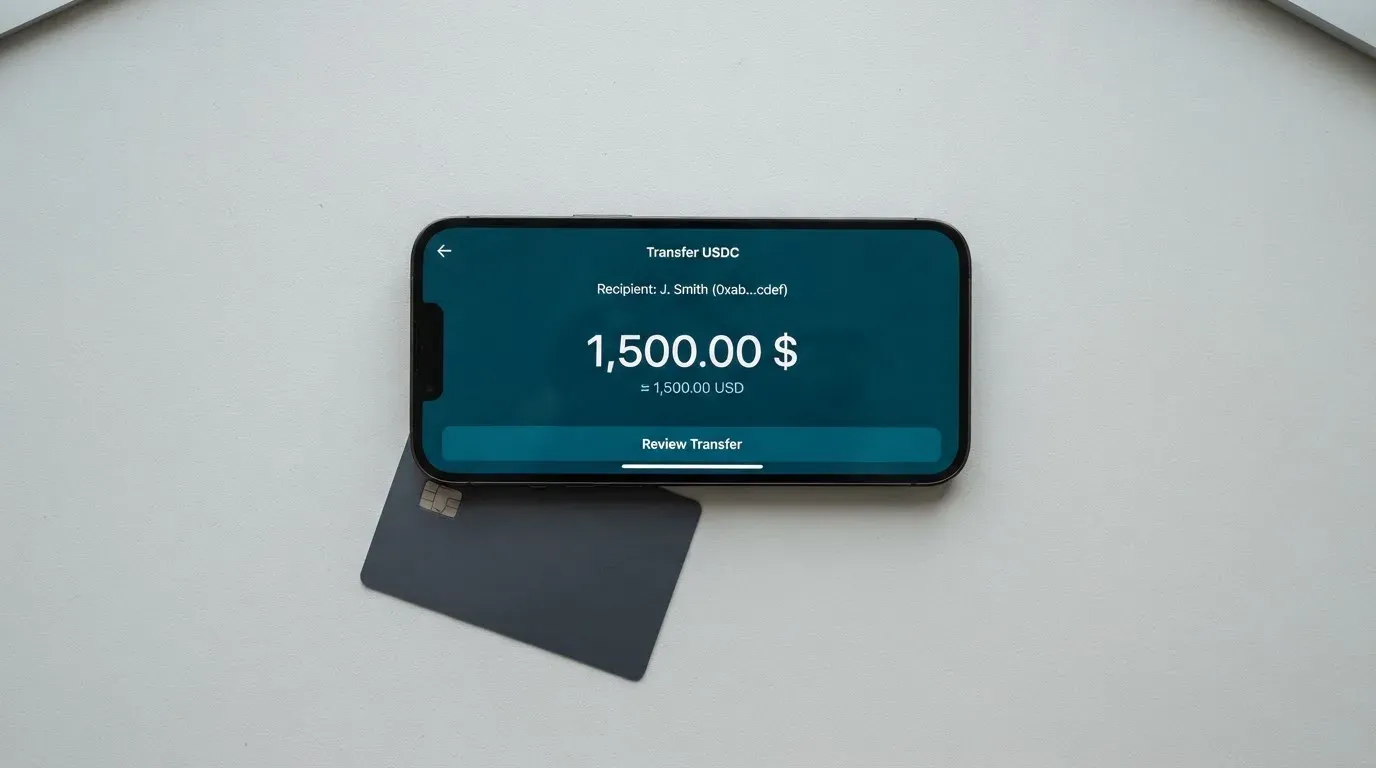
The networks are not stated. That is the practical trap here, and it is not a small one. On an ERC-20 network, sending tokens requires ETH in the wallet to pay the gas; on Tron, fees are paid through bandwidth and energy, often by burning TRX. If you send USDT on a network the provider does not support, or to an address belonging to a different network, the transfer can be lost or need manual recovery with no guarantee. Blockchain transfers are irreversible in general — the network cannot freeze or return funds. And it is not true that any network will do: Circle stopped supporting USDC on Tron in February 2024, so “USDC over TRC20” is not a native option.
Nothing is stated about withdrawals from the card, and nothing is stated about direct top-up routes other than the crypto deposit. No bank transfer option, no card-to-card route, no named network — none of it published.
Paying with it every day
Day to day, the card behaves like a prepaid card: you load it, you spend it, and it runs out. The balance is in dollars or euros, which avoids a conversion for anyone whose spending is in those currencies. It works with Apple Pay and Google Pay — the app is iOS, and the mobile wallet pairing is the practical reason to want a card like this at all, since Apple Pay replaces the card number with a device-specific number stored in the Secure Element and uses a one-time code per payment.
Beyond that, daily life has gaps. Whether you can connect the card to other wallets, whether there are any rewards or cashback, and how disputes work are all unstated. There is also no information on merchant category rules: gambling (MCC 7995) and similar categories are blocked on many prepaid cards by issuer policy, and the blocked list varies by issuer. With no issuer named, you cannot find out what this card’s policy is. If a payment is declined, a hold can remain on your funds for several days.
One small but useful detail about how the app itself is received: two App Store listings read on 2026-10-21 gave different results. The AE storefront listing showed 4.2 out of 5 from 5 ratings; the main listing showed 3.3 out of 5 from 135 ratings. Small samples move easily, but a five-rating storefront average is not evidence of anything.
What can go wrong
This is where the score drops hardest, and the complaints are the reason reliability scored 2 out of 10.
App Store reviews accuse the app of being a scam. The specific themes readers report are unexpected credit card charges, problems with withdrawing money, and automated support that does not actually answer. A third-party aggregate of 135 reviews is two-thirds negative, with descriptions including a Bitcoin balance stuck in “reviewing” for three days, failed deposits, and support that could not be reached. Those review dates are not shown, so I cannot tell you how recent they are — and no official incident has been found. That distinction matters: this is a pattern of user accusation, not a documented event. But a pattern that consistent, from 135 ratings, is a pattern.
The structural risk sits underneath. The card’s developer is CIPHERBC PTE. LTD., the copyright line reads HYPER BC PTE. LTD., and neither the issuing bank nor any licence is stated. In this category that omission is not cosmetic. A payment card is a regulated product: an electronic money institution can issue e-money and payment cards but cannot lend, and in the EU it must safeguard customer funds in segregated accounts or insured ones — funds that are not bank deposits and may not sit under a deposit guarantee scheme. A crypto card typically depends on two licences, one for the payment side and one for the crypto side, and if you cannot name either, you cannot check whether either exists.
The wallet is described as having both an off-chain component (exchange, multi-signature) and an on-chain component (private key import), and the custodial status of the card balance is not stated. If the balance is custodial, you are trusting the provider with the funds. That trust has a history: Mt. Gox reported about US$350 million stolen in 2011-2014, Coincheck about US$400 million in 2018, and the Ronin Network US$625 million in 2022.
There is a category-level caution that applies here. Programme closures happen: Visa terminated its global agreements with FTX on 13 November 2022 and the FTX US debit card was wound down by its issuer, and WaveCrest, a Visa issuer that supplied crypto card brands, was suspended by Visa in Europe in 2018, closing all of its Visa programmes. A closure typically means a notice period, then loading and spending stop, then you are asked to withdraw whatever remains. If a prepaid card’s provider were to fail, you would be asking a distressed company for your money.
Stablecoins are not what their name suggests. Tether’s USDT and Circle’s USDC are dollar-pegged and about 90% of stablecoin market capitalisation by the BIS’s July 2025 estimate, but stablecoins can and do depeg: TerraUSD collapsed in May 2022, and USDC lost its peg briefly in March 2023 during the US banking crisis. And they are not censorship-proof — Tether says it disables tokens in wallets on the OFAC sanctions list and has frozen funds tied to illicit activity.
One more practical thing: the network fee for your deposit is charged by the blockchain, not by the card provider. That is a cost the card’s fee schedule will never show you.
What to take instead
I looked at three alternatives so you can see the shape of the comparison rather than take my word for a ranking. Each of them publishes more than HyperCard does, which is itself the finding.
| CardFlow | Card.fi | Nero | |
|---|---|---|---|
| My score | 4.9 / 10 | 6.6 / 10 | 4.8 / 10 |
| Who it aims at | Nigeria (“Nigeria’s smartest fintech card platform”) and “Nigerians and global users”; no country list or exclusions stated | Cards ship to “200+ countries”; terms bar residents of, or orders from, “a country subject to sanctions that would prohibit the service” | Not stated on readable pages; the site says restricted countries exist but the list was not read |
| The card | Virtual USD Mastercard, created in about 3 minutes | Virtual Classic and Premium, physical Classic and Premium, metal; every physical order includes a virtual card; issued “under licence from the relevant card schemes” | Virtual card with standard number, expiry and CVC; network not named |
| Price | “Creating a virtual card is completely free”; monthly fee not stated | One-time: Virtual Classic $49, Virtual Premium $249; physical and metal prices not listed; no monthly, annual, inactivity or minimum-balance fee | One-time issuance fee, amount not stated; no monthly fee stated |
| Fees | not stated | Top-up Classic 1.5% + $1.00, Premium 1%; FX Classic 3.5%, Premium 2.5%; conversion fee shown before each top-up | Top-up commission 4%; conversion to fiat happens at payment; FX fee not stated |
| Funding | Bitcoin, USDT, ETH or Naira bank transfer; networks not stated | 32 coins across 5 networks (Ethereum, Base, BNB Chain, Solana, Kaanch); converted at market rate on arrival; wrong chain risks permanent loss | USDT or USDC; converted to fiat at the time of payment; networks not confirmed |
| Rewards | not stated | Cashback on card spending: Classic 0.8% (cap 10 USDT/month), Premium 1%, Metal 1.2% (cap 100 USDT/month, 5,000 USDT) or 2% (cap 250 USDT/month, 20,000 USDT) | not stated |
The honest reading of this table is not that one of these is safe and HyperCard is not. It is that Card.fi publishes its prices, its percentages, its networks and its caps — you can compute what you would pay before you commit. CardFlow and Nero publish less than Card.fi and about the same as HyperCard. CardFlow, with a 4.9, is the closest match to HyperCard’s score and the least transparent of the three.
Where the choice turns on your situation:
- If your spending is in dollars or euros and you want cash from ATMs, the deciding question for any of these is the FX and ATM fee, which is the number HyperCard does not print.
- If you want a card you can see the cost of before you use it, Card.fi is the only one of the four that shows you the percentage before each top-up.
- If you are in Nigeria, CardFlow is aimed at you directly and says so; that is a real advantage over a card with no stated audience.
- If reliability and a named issuer matter most to you, none of these three has a published complaints record that I would rely on, and all of them share this category’s exposure to programme shutdown.
Who I would recommend it to
If you already have the HyperPay wallet open on your iPhone, you have money in it, and you spend in dollars or euros, this card is a reasonable convenience. That is the audience it is built for, and it is why the score is not lower. The app, the mobile wallets, the two-currency balance and the ATM reach add up to something usable.
If you are choosing a card on the strength of a feature list, I would not. “Works in 176 countries” is an acceptance claim wearing the clothes of an eligibility claim, and the four things you need most — who issued it, what licence it holds, what a fee costs, and how much you may spend in a day — are absent from the official material. One unofficially quoted limit reads “50,000 US dollars / no limit”, which is not a limit, it is an unresolved contradiction. When the issuer and the licence are both unnamed, you cannot check a regulator’s register, you cannot tell whether customer funds are safeguarded or how, and you cannot know what your dispute rights are. Prepaid-card protection varies by scheme and jurisdiction and should never be assumed.
Before you commit any meaningful balance, three questions are worth asking the operator directly, and the answers are worth keeping: who is the issuing bank and what licence does the card run under; what are the ATM and foreign-exchange fees; and what are the daily and monthly limits. If the answers are not forthcoming in writing, that is your answer.
Frequently asked questions
What is HyperCard card?
HyperCard is a prepaid payment card offered through the HyperPay mobile app, with a balance held in US dollars or euros rather than drawn from a bank account. You load it with crypto and spend the converted balance, in shops, online, or at cash machines. The card is a product of CIPHERBC PTE. LTD.; its issuing bank is not named publicly.
How does HyperCard card work?
You deposit crypto such as USDT, BTC or ETH in the app, it is converted to USD or EUR, and the card spends that stored balance — the prepaid, pre-loaded model. Because it draws on a stored balance rather than a linked account, it cannot overdraw. The app is iOS, and the card works with Apple Pay and Google Pay.
Is HyperCard a bank?
No. HyperCard does not state that it is a bank, and its issuing bank is not named. It behaves like an e-money product, where customer funds are normally safeguarded in segregated accounts or insured rather than held as bank deposits, so deposit guarantee schemes may not apply. Ask the operator directly which institution holds your balance.
Does HyperCard card require KYC?
The official pages do not state whether identity verification is required, and no verification tiers are published. An undated company tutorial describes an “Applying” status while a bank reviews, with approval taking up to 24 hours on working days — but that is unofficial, and it does not say what documents you would need. Do not assume you can skip checks, or that they are quick.
How much does HyperCard cost?
Not stated. The App Store page lists no fees and the official pages name no issuance fee, monthly fee, conversion fee, foreign-exchange fee or ATM fee. Unofficially, a company tutorial claims “0 KYC fee”, no annual fee and no transaction fee — for certain cards. Treat that as a claim to verify, not a price list you can budget from.
How do I top up HyperCard card?
Deposit USDT, BTC or ETH in the app and let it convert to USD or EUR on the card. The networks are not stated, and that is the risk: sending on the wrong chain, or to an address of another network, can mean a permanent loss, because blockchain transfers cannot be reversed. On Ethereum you also need ETH to pay the gas. Direct top-up routes and card withdrawals are not stated.
Is HyperCard card safe?
I would not call it unsafe, but I would call it unverified. The issuer and any licences are not named, the balance’s custodial status is not stated, and App Store reviews accuse the app of being a scam, citing unexpected charges, withdrawal problems and automated support — 3.3 from 135 ratings, two-thirds negative. No official incident has been found. Check whether the operator names its issuer and licence before you load meaningful funds.
Can I use HyperCard card in my country?
Probably, if the question is where you can spend. The App Store says the card works in “more than 176 countries” and that “tens of thousands of ATMs worldwide accept it” — that is acceptance. But no country list is published for who may be issued a card, so eligibility is unknown. Two separate things, and only one of them is answered.
Is HyperCard card worth it?
For an existing HyperPay user spending in USD or EUR, it is a convenient second skin for a balance they already hold. For anyone else, the value is unproven: the fees, the limits, the issuer and the licence are all missing from the official material. Some users also report a cryptocurrency brand being renamed — HyperPay became HPX, with the old address redirecting — which makes older third-party guides unreliable. Check the current name in the app itself.
How do I add HyperCard to Apple Wallet?
Support for Apple Pay and Google Pay is stated, so the pairing is done from the app rather than by adding a card number you do not have. Google Play availability is not stated. One caveat applies to tokenised numbers generally: the issuer can restrict where a tokenised card is accepted, for example blocking phone or website use, so an in-app wallet pairing is not a guarantee that every channel will work.
Virtual cards: picking one for online use – cryptocardpicker
Content created by the «cryptocardpicker» team