
A crypto Visa promising 180 countries and 100+ assets, with a payment card you can hold in your hand
 Available in US
Digitap is a crypto payment card on the Visa network, with a free virtual tier and a paid Pro plan that adds a physical card. The marketing says it works in 180+ countries, accepts 100+ crypto assets and charges no foreign transaction fees, but the issuer’s name, the legal entity behind the card, and a clear list of supported networks for crypto deposits are not stated on the public pages. The app is still labelled a beta. That mix of a generous-looking offer and thin paperwork is what this review works through.
The conditions in this article are current as of October 28, 2026.
Verdict
Digitap is at its strongest for a person who wants a free virtual Visa, is comfortable holding crypto in a custodial wallet, and would use the card mainly for online spending in USD, EUR or GBP. The free Virtual plan gives you two virtual cards with no issuance or maintenance fee, which is genuinely useful if your current bank is being slow or unhelpful. The 2.5% deposit fee on the entry tiers is the main everyday cost to watch; the Pro tier costs $299 to open and $95 a year and is the only tier that gets you a free physical card and higher limits. I cannot recommend it as a primary card, partly because the company behind it is not named, the app is in beta, and Trustpilot users report unanswered support tickets. Treat it as a side card, not a replacement for a bank account.
The score I land on is 6.2 out of 10, and below is how that breaks down.
| Criterion | Mark | Reason |
|---|---|---|
| Who can get it | 9 / 10 | Advertised in 180+ countries; the site gives no blacklist of issuing countries |
| Cost | 5 / 10 | Free virtual plan; Pro is $299 to open then $95/year; 2.5% on deposits at lower tiers |
| Top-up options | 7 / 10 | 100+ crypto assets and three fiat currencies; networks not stated |
| Reliability and complaints | 3 / 10 | Issuer and legal entity not named; app in beta; Trustpilot 2.7/5 |
| Everyday use | 7 / 10 | Virtual instantly, plastic available, ATM worldwide; Apple Pay not available |
| Total | 6.2 / 10 |
Who Digitap will and will not give the card to
The headline number is 180+ countries, which the official site repeats in the page footer. That is a wide footprint, and it is the part of the offer that matters most if you are an adult without easy access to a normal bank account or card. The site also says it is “not directed at places where use would be contrary to local law”, so the practical answer to whether the card works where you live is to read the local law yourself and then try the signup; the card pages do not name the countries that can or cannot apply.
Two practical points sit behind that broad line. First, the application is not the same for every plan. The Wallet plan is the no-KYC tier and does not give you a card at all; it is a hosted crypto balance. The Virtual plan asks for what Digitap calls “light KYC” and gives you a free virtual card. Pro, Premium and Business all need full KYC, and Premium and Business are invitation-only plans sold on request. The specific documents, the processing time and the reasons an application might be rejected are not stated on the public pages, so you only find out what is needed once you start the sign-up flow. As a rule of thumb, a government-issued photo ID plus a proof of address is what most regulated card programmes ask for at the full-KYC level, but you should not assume that is what Digitap specifically requires.
A second point worth raising: an unconfirmed third-party article from a $TAP-token promotion in January 2026 says the virtual card is issued after a simple identity check in under 24 hours and the physical card needs more documents, including a passport scan and a selfie. I am calling that unofficial because it is not on Digitap’s own pages, and you should treat it as a hint, not a promise. The official site is silent on the timing.
If you are in a country under international sanctions, or you are a citizen or resident of one, the wider rule for any regulated card applies. The card pages do not list excluded jurisdictions, but a regulated Visa programme in 2026 will screen your citizenship, country of birth and country of residence against sanctions lists, and that screening happens whether or not the marketing page mentions it. The safer thing is to assume the application can be declined and to keep that in mind before you pay the $299 Pro opening fee.
How to get a Digitap card
The signup flow on the marketing pages is short: open a Digitap account online “in a few minutes”, pick a plan, and either get a virtual card instantly or order a physical card. That is the whole story the public site tells, and the rest of what you would normally want to know (delivery countries, delivery time, delivery fee) is not stated. The only delivery-related number on the public pages is the cost of replacing a physical card once you have one, which is $40 on the Pro plan.
What you actually get on day one depends on the plan. The free Virtual plan gives you a virtual card in the wallet, usable for online and (where supported) in-app payments. The Pro plan unlocks the physical card with a custom design, an EMV chip and a PIN, and it is the same tier that gives you three free physical cards and five free virtual cards as part of the package. The card is a Visa, and the fiat balances the card draws from are USD, EUR and GBP.
The application itself is a standard card-programme flow: you register, you complete the level of KYC that matches the plan, and the card appears in the app or arrives in the post. Three things are worth flagging before you start:
- The free Virtual plan is the only one with no KYC friction at the time of writing. The official site calls that “light KYC”, which I read as a basic identity check, but the documents needed are not spelled out.
- Pro is the only self-serve plan that gives you a physical card. Premium and Business exist but they are not priced on the page and the company does not show a sign-up button for them.
- The issuer’s name, the legal entity and the licence that backs the card programme are not stated on the public pages. That is unusual for a regulated card and is something to think about before you load any meaningful balance.
What Digitap really costs
The plan pricing is the easy part of the cost story. Wallet is $0 with no card. Virtual is free and gives you two free virtual cards, with free replacement. Pro is $299 to open plus $95 a year, and it includes three free physical and five free virtual cards; replacing a physical card on Pro is $40 and replacing a virtual card is $2.50. Premium and Business are on request. The plan page also shows a $15.99/month or $155/year toggle that is not mapped to a tier on the public site, so I am not treating it as a separate plan until Digitap explains what it covers.
The harder part is the per-transaction cost, because the table on the site is partly blank. Here is what the official pages do state.
| Fee or limit | Amount |
|---|---|
| Virtual plan monthly fee | $0 |
| Pro account opening | $299 |
| Pro yearly admin | $95 |
| Foreign transaction fee | None stated |
| Crypto conversion fee | Not stated |
| Deposit fee, Wallet and Virtual | 2.5% |
| Deposit fee, Pro and Premium | 2.2% |
| ATM withdrawal fee | Not stated |
| ATM free allowance | Not stated |
| Physical card replacement, Pro | $40 |
| Virtual card replacement, Pro | $2.50 |
| Account-to-external-wallet withdrawal | 1% (Wallet, Virtual, Pro), 0% (Premium, Business) |
| Account-to-external-bank withdrawal | 1% (Virtual, Pro), 0% (Premium, Business), N/A (Wallet) |
| Daily and monthly limits | “Medium” (Wallet, Virtual), “High” (Pro), “No Limits” (Premium, Business); amounts not stated |
Three everyday scenarios help turn the table into something you can plan around. I am using the numbers as stated on the public pages; where a fee is not stated, I say so.
- You top up a free Virtual card with $500 in stablecoins and spend it online at a US merchant. The deposit costs you 2.5% ($12.50) at the moment of funding. The payment itself, in a currency matching the balance, does not carry a stated foreign-transaction fee. Crypto conversion on the way in is not stated as a separate line, so I read that 2.5% as covering the funding cost. The takeaway: load in USD and spend in USD where you can, because every layer is an unstated spread.
- You withdraw $200 from an ATM abroad on the Virtual plan. The card advertises ATM withdrawals worldwide with crypto-to-fiat conversion, but the fee and the free-allowance figure are not stated. On a regulated card, you would usually see both, and the gap here is a real unknown. A practical habit is to take out only what you need and to check the app for an in-app fee preview before you confirm.
- You upgrade to Pro for the physical card and the higher limits, and you move $1,000 in stablecoins onto the card in a month. The deposit costs 2.2% ($22). The $95 yearly fee is roughly $7.90 if you spread it across the year, but it lands as a single $95 charge, which is why the Pro plan is hard to make work for small balances.
The biggest unstated cost on the page is the FX rate the card uses when you pay in a currency other than USD, EUR or GBP. The site says there is no foreign transaction fee, but that only rules out a percentage add-on; the rate itself is set by the conversion path, and that path is not described. A card that pays in a non-balance currency will still cost you the spread between the rate the issuer uses and the mid-market rate, and that is where most crypto-card surprises come from. Until Digitap publishes the rate source and the spread, treat any non-USD, non-EUR, non-GBP payment as a small unknown cost.
Top up: how to add money to Digitap
The funding story is one of the more generous parts of the offer. You can top up with crypto across 100+ assets or with fiat in USD, EUR and GBP, and you pick the asset at checkout. Beyond that, the official pages are quiet. The networks the crypto deposit arrives on are not stated, the minimum top-up is not stated, and the question of who pays the on-chain network fee is not stated either. As a rule for any blockchain transfer, the network itself charges a fee, and that fee is set by the chain rather than by Digitap; what changes between providers is whether they pass it on or absorb it.
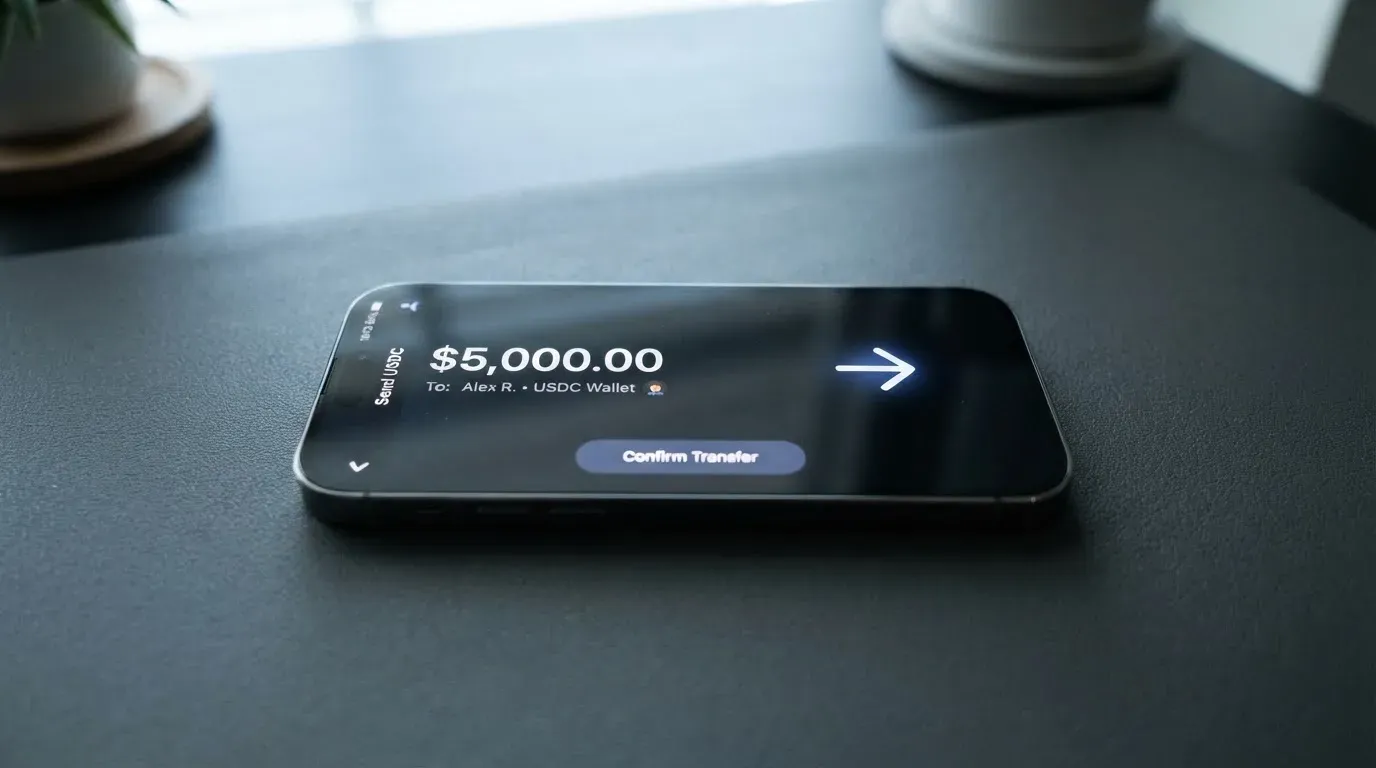
What is on the page is the deposit fee: 2.5% on the Wallet and Virtual tiers, 2.2% on Pro and Premium. The Premium and Business tiers do not list a separate deposit fee on the public pages, but both are on request, so the actual number is something you would confirm in the conversation that opens the relationship.
A few practical things to keep in mind before you send anything:
- Send on the network the app asks for. Crypto transfers are irreversible, and a deposit sent on the wrong network can be lost or stuck in manual recovery. The page does not list supported networks, so the only safe source is the deposit screen in the app at the moment of transfer.
- Make a small test first. With a new card programme and a new wallet, the cheapest mistake to make is the first one. A $10 test transfer that lands, then a $10 test spend, costs you a small percentage in fees and tells you whether the rails work end to end.
- If you fund in crypto, the 2.5% or 2.2% sits on top of the spread between the rate the app shows you and the rate you would see on a public exchange. The fee is the visible part; the spread is the part that varies.
- If you fund in fiat, the deposit is in USD, EUR or GBP, and the page does not state a separate fee for that path beyond the table above.
On the way out, the withdrawal fees are stated. Sending from your Digitap account to an external crypto wallet costs 1% on Wallet, Virtual and Pro, and 0% on Premium and Business. Sending from your Digitap account to an external bank account costs 1% on Virtual and Pro, 0% on Premium and Business, and is not available on Wallet. The balance left in the account on closure is not stated, so if you intend to close the account, withdraw in good time and check the app for the final figure.
Paying with Digitap day to day
The card works as a Visa, which means it is accepted wherever Visa is accepted, and the public pages add that ATM withdrawals are available worldwide with crypto-to-fiat conversion at the ATM. The virtual card arrives the moment you finish the sign-up, and the Pro tier adds the physical card with an EMV chip and PIN. A custom design is part of the physical-card offer on Pro.
For in-person spending, the practical question is mobile wallets. The official pages do not say whether Apple Pay or Google Pay is supported, and Digitap is not unusual in that: a lot of crypto-card programmes do not list wallet support on the marketing pages at all, and the truth is usually visible only inside the app. Unofficial reports from Trustpilot reviewers in November 2025 and May 2026 say Apple Pay is not available, while reviewers in December 2025 and February 2026 say Google Pay works. I am flagging both as unofficial and unconfirmed. If mobile wallet support is the reason you are choosing this card, the only honest test is to try it inside the app, on a phone you own, before you commit to the Pro plan.
For online spending, the card behaves like a normal Visa with 3-D Secure for higher-risk transactions. The site does not name the blocked merchant categories, and the issuer is not named, so I cannot tell you whether gambling, adult content or crypto purchases are restricted. Most regulated Visa programmes in 2026 block a defined list of MCCs, and the typical blocks include gambling (MCC 7995), adult entertainment, and the purchase of other crypto from a card. If a category matters to you, the answer is the same: check in the app or in the cardholder agreement before you spend.
The rewards structure is paid in $TAP, the project token. The site does not publish a percentage anywhere; instead it ties cashback to the plan: basic cashback on Wallet and Virtual, “high cashback” on Pro, and “up to double digit % cashback” on Premium. There is no stated monthly cap, and the public page does not require you to stake $TAP to earn, but two things still apply. First, a token-denominated reward is a volatile reward, so a percentage that looked generous on day one can be smaller in dollar terms a month later. Second, $TAP is the same token that the marketing site pushes as part of a presale, and a reward that is paid in the project’s own token is not the same as cashback paid in fiat. The “high cashback” on Pro is the most interesting part of the offer on paper, but until the percentage and the cap are published, I would not build a spending plan around it.
The app is available on iOS (iPhone iOS 12.0+, iPad, Mac M1) and Android under the name my.digitap.card, and the official site calls it “the official beta version”. At the time of writing, the UK App Store listing shows no rating because there are not enough reviews, and the Google Play rating was not readable on the day the page was checked. A “beta” label in 2026 is normal for a young crypto product, but it is also a fair signal that features and screens can change without much warning.
Two things the everyday-use section does not cover on the public pages: the dispute and chargeback process is not described, and the address-verification behaviour for foreign-issued cards is not stated. Address Verification Service (AVS) is mainly a US/Canada/UK thing, and cards issued outside those regions can see more online declines, so a card programme that is unclear about its issuer country can be harder to use on US ecommerce sites.
What can go wrong with Digitap
The strongest way to read the risk section is to separate what the official pages say, what they do not say, and what users are saying.
What the official pages do not say is the bigger list. The issuer’s name, the legal entity behind the card and the licence that authorises the programme are not stated. The site describes Digitap as “a fintech application powered by licensed financial partners”, which is a phrase that tells you the partners exist without naming them. The custody model (where the crypto actually sits, who holds the keys, whether funds are segregated) is not described. The security controls in the app (two-factor authentication, instant card freeze, spending limits) are not described on the plans page. Support is described as 24/7 by email or contact form, but the support-level table gives business-hours support to Wallet, Virtual and Pro, and only Premium and Business get 24/7. There are no dated licence or programme events on the official pages, so you cannot tell from the site when the company started, when it was authorised, or whether a regulator has ever taken action.
What users are saying is a separate signal. Digitap’s Trustpilot score, read on 2026-10-20, is 2.7 out of 5 across 13 reviews in the previous 12 months, with 54% of those reviews at one star. The themes, in the user’s own words, are: no reply from support in January, April and June 2026, including one complaint after a $299 Pro upgrade; a refund request on the Pro plan that went unanswered in April 2026; doubts about who runs the company and whether the project is regulated, including “scam” claims tied to the $TAP presale, in reviews from November 2025 to June 2026, with one user saying the website was unavailable in April 2026; no Apple Pay in November 2025 and May 2026; and slow KYC in June 2026. There are a few positive notes, mostly about Google Pay working in December 2025 and February 2026. I am citing these as user reports, not as facts about Digitap’s policies, but the pattern is what it is.
What the official pages do say, and what is worth weighing carefully, is that the marketing site heavily promotes the $TAP presale. The presale is separate from the card, and the site is careful to make that distinction, but the result is that visitors land on a card offer that is intertwined with a token sale, and a reader who is not looking for that can end up closer to the token than they intended. The complaints on Trustpilot that link the company to the presale are talking about that overlap, and it is the single biggest reputational fact about Digitap at the moment.
Putting those together, the practical risks fall into four buckets.
- Counterparty risk. The issuer and the legal entity are not named. If something goes wrong, you do not know which regulator to complain to, and you do not know which jurisdiction’s deposit guarantee (if any) covers your balance.
- Support risk. Several users describe unanswered emails, including after a paid upgrade. Support is one of those things that is easy to over-promise on a website and hard to deliver on a young product, and the user reports are consistent with that.
- Reward risk. Cashback is paid in $TAP, which is a volatile token. A reward that is paid in the project’s own token is not the same as cashback paid in fiat, and the token’s price can move independently of the card’s value.
- Operational risk. The app is labelled a beta. Networks for crypto deposits are not published. A deposit sent on the wrong network can be lost. These are not Digitap-specific risks, but the lack of clear public paperwork makes them harder to plan around than they would be on a card programme that names its issuer, its licence and its supported networks.
What to take instead
Digitap is not the only crypto Visa on the market, and the honest comparison is with cards that publish more of the details Digitap leaves blank. The list below uses the same public-page-only approach this review has used so far, so the gaps you see here are gaps in the public materials, not in my judgement.
- International Visa Card, 6.7 out of 10. A US-issued Platinum Visa that pays in USD, with a clear residency-based eligibility list (residents or legal registrants of Belarus, mainland China, North Korea, Cuba, India, Iraq, Iran, Israel, Myanmar, Nepal, Nicaragua, Russia, Syria, Turkey, Ukraine, Venezuela and Vietnam are not eligible; FATF grey-list countries reviewed case by case; purchases blocked in North Korea, Cuba, Iran, Russia, Syria, Ukraine and Venezuela). The virtual card is $5 to issue, there is no maintenance fee, deposits of any kind are free, and FX on non-USD spending is “Visa exchange rate + 2%”. Plans are Classic free, Pro $9/month, Max $19/month. No cashback is published. The trade-off is that the residency list is explicit (which is a feature, not a bug, if you want to know in advance) and the physical card is “coming soon”.
- UNi Card, 6.1 out of 10. A multicurrency Mastercard that spends from the UNi.Global account balance. “No annual fee or foreign transaction fee”, assets converted at “live OTC rates”, “no hidden exchange fees”, and “Spend-to-Earn rewards up to 3%” with UNi Card. The trade-off is that the public pages do not state who is eligible, how the card is funded or how the card is issued.
- Morse, 7.5 out of 10. A Visa prepaid debit, fully virtual, spending from a Morse Balance in any currency, “Zero foreign exchange fees or markups” at the real-time Visa rate, “Paying with the Morse Card, online and contactless, is free”. Eligibility is by residence, with the app available in 140+ countries and local add/withdraw in 70+, and a closed-beta invite list of 16 countries including the UK, Switzerland, Singapore, Japan, Australia and New Zealand. The card is self-custody on the funding side: USDC, USDG and EURC on Solana are free to deposit, while other tokens and chains carry a fee. The trade-off is that the card is “fully virtual for now”, and the issuance and monthly fees are not stated on the card page (the page refers you to a Cardholder Agreement).
Read across the three, the pattern is the same. Where a card programme names its issuer, its residency rules and its supported networks, it is easier to plan around. Where it does not, you are relying on the card programme’s own customer support to fill in the gaps, and that is the part of Digitap that user reviews are most critical of.
Who I would recommend Digitap to
If you want a free virtual Visa, are happy with a custodial wallet, and your main use case is online spending in USD, EUR or GBP, the free Virtual plan is worth a try. The deposit fee of 2.5% is the main cost, and the absence of a stated foreign-transaction fee is a real benefit if you pay in your balance currency. The two free virtual cards are genuinely useful if your current bank is being slow or unhelpful, and the signup flow is short.
I would not recommend Pro unless you have a specific reason to want the physical card and the higher limits. The $299 opening fee is non-trivial, the $95 yearly fee is recurring, and the rewards are paid in a volatile token, so the cost of the plan and the value of the cashback are on different timelines. Premium and Business are on request, and the public pages do not price them, so the only way to compare them is to ask.
I would not recommend any tier of Digitap as your primary card. The issuer is not named, the licence is not named, the app is in beta, the support table on the public pages is contradicted by the marketing line, and Trustpilot users report unanswered support tickets including after a paid upgrade. For a side card on a free tier, that is a risk you can price in. For a primary card, it is not.
The simplest rule is the one that has worked for every other crypto card I have looked at. Do not load more than you can afford to leave there. If the card programme works as advertised, you have paid a 2.5% deposit fee for the privilege. If it does not, you have lost the balance, and that loss is not covered by a deposit guarantee scheme you can name.
Frequently asked questions
What is the Digitap card?
Digitap is a Visa payment card on a custodial crypto platform. You can hold a balance in USD, EUR or GBP and top it up with crypto across 100+ assets, and on the Pro plan you can order a physical card as well as a virtual one.
How does the Digitap card work?
You open an account, complete the level of KYC your plan requires, and load a balance. When you pay, the card converts the balance to the merchant’s currency (the rate and spread are not published) and routes the payment through Visa. On the free Virtual plan you get a virtual card only; on the paid Pro plan you also get a physical card.
Is Digitap a bank?
No. The site describes Digitap as “a fintech application powered by licensed financial partners”. The issuer, the legal entity and the licence that backs the card are not stated on the public pages, which is unusual for a regulated card and is the main thing to know before you load a balance.
Is the Digitap card available in my country?
The site advertises the card in 180+ countries and adds that it is not directed at places where use would be contrary to local law. The site does not publish a country list. If the rules where you live are unclear, the safer move is to read your local law first, then try the signup on the free Virtual plan, where the worst case is a declined application rather than a paid plan you cannot use.
Does the Digitap card require KYC?
It depends on the plan. The Wallet plan requires no KYC and gives you no card. The Virtual plan requires what Digitap calls “light KYC” and gives you a free virtual card. Pro, Premium and Business all require full KYC. The specific documents, the processing time and the reasons an application can be rejected are not stated on the public pages.
How do I top up the Digitap card?
You can top up with crypto across 100+ assets or with fiat in USD, EUR and GBP, and you pick the asset at checkout. The deposit fee is 2.5% on the Wallet and Virtual tiers and 2.2% on Pro and Premium. The supported networks, the minimum top-up and who pays the on-chain fee are not stated on the public pages, so the only safe source is the deposit screen in the app at the moment you transfer.
Is the Digitap card free?
The Wallet and Virtual plans are free. The Virtual plan includes two free virtual cards and free replacements. Pro costs $299 to open and $95 a year, and includes three free physical cards and five free virtual cards. The main cost on the free plans is the 2.5% deposit fee, not a monthly or annual fee.
Can I add the Digitap card to Apple Pay or Google Pay?
The official pages do not say. Unofficial Trustpilot reviews from late 2025 and early 2026 report that Apple Pay is not available and that Google Pay works, but those are user reports and not confirmed by Digitap. The only reliable test is to try it inside the app on a phone you own.
Is the Digitap card safe?
The public pages do not name the issuer, the legal entity or the licence, and the app is labelled a beta. The site does not describe its security controls, custody model or dispute process. Trustpilot users report unanswered support tickets and slow KYC, including after a paid upgrade. Treat Digitap as a side card, load only what you can afford to leave there, and avoid it as a primary account.
How do I delete my Digitap account?
The public pages do not describe the closure process or what happens to the balance on closure. The standard approach on a regulated card programme is to withdraw your balance first, then close the account; the withdrawal fees are 1% to an external wallet on Wallet, Virtual and Pro, 0% on Premium and Business, and 1% to an external bank on Virtual and Pro, 0% on Premium and Business, with bank withdrawals not available on Wallet.
App and neobank cards: when one suits you – cryptocardpicker
Content created by the «cryptocardpicker» team