
Balance Pay reviewed: a Telegram-first virtual Visa that you top up with USDT
 Available in US
Balance Pay is a fintech product, not a bank, and that distinction shapes almost every part of this review. It sells itself as a virtual Visa card you open and fund from inside a Telegram bot, with USDT in your crypto wallet as the starting point. If that description already sounds like your situation — you use Telegram, you hold stablecoins, and you want a card number to spend them at ordinary shops — the rest of this page walks through what the card does, what it charges, and what it does not yet tell you. If you came here from a search result expecting a familiar prepaid card with a published tariff table, you will find the published information thinner than you probably hoped.
I have gone through the Balance Pay website, the @balance_bot flow and the help pages, and pulled together the facts as the company states them, plus the questions the company does not answer. The conditions below are current as of October 28, 2026.
Verdict
Balance Pay earns 5.7 out of 10. The number is not a verdict on whether crypto cards are a good idea in general; it is a measure of how well this particular product explains itself, what it delivers today, and how much risk you are taking on for what you get.
| Criterion | Mark | Why it lands there |
|---|---|---|
| Who can get it | 7 / 10 | No country list or restrictions are published; the interface is in English and Russian |
| Cost | 6 / 10 | No monthly fee, free sign-up; the Russian-language FAQ mentions a possible one-time fee for a virtual card with no amount given; conversion and FX fees are not published |
| Top-up options | 8 / 10 | USDT on TRON (TRC-20), Polygon and Base; more networks “coming soon” |
| Reliability and complaints | 4 / 10 | Fintech, not a bank; the legal entity, country of registration and card issuer are not named, and the full tariffs and legal documents “will appear later”; I could not find any user reviews |
| Everyday use | 3 / 10 | Virtual Visa only right now; Apple Pay and Google Pay are “coming soon”; metal and plastic cards are planned, and ATM access is not described |
The card is aimed at a narrow reader: someone comfortable in Telegram, who already holds USDT, and who wants a virtual Visa number rather than a physical card in the post. For that reader the on-ramp is unusually direct — open a bot, pass a check, send USDT, get a card number. For anyone else, the missing country list, the missing fees, the missing legal entity and the missing track record are reasons to slow down.
Who can actually get the Balance Pay card
Balance Pay does not publish a list of supported or excluded countries. That is the first thing most readers will look for and the first thing the website does not give you. There is no menu where you click your country and see whether you qualify; there is not even a sentence saying “available in X but not Y.” If your decision depends on whether you are eligible from where you live or with the passport you hold, you have to start the application and see what happens, which is a worse position than being told up front.
Two things the company does make public: the interface is available in English and Russian, and the application runs through the @balance_bot on Telegram. That tells you something about the audience the product is built for. It does not tell you anything about residency, citizenship, sanctions, or age limits. Proof of address and minimum age are not stated either. The application asks for identity documents inside the bot, so you should expect a standard identity check rather than a fully anonymous card, but the KYC provider and the documents accepted are not named in the public pages.
If you are deciding between this card and a more established alternative, the lack of a country list is itself a data point. A provider that wants to sign you up usually lists the places it is allowed to serve. A provider that does not is either not licensed in enough places to be specific, or has chosen not to publish, and either way the uncertainty is yours to carry.
How to sign up
The whole flow lives in Telegram. You open @balance_bot, complete the identity check inside the bot, top up the card, and the virtual card is issued. The bot describes the check as taking “a few minutes,” but the company does not say which documents you will need to upload, who is verifying them, or how long reviews take when something is flagged. The level of KYC — basic identity, address, source of funds — is also not described.
Two things are clear from the bot’s own description. First, the card you get today is virtual. There is no plastic card to ship to you, no metal card to wait for, and the physical Visa Signature with the perks that would normally come with that tier is something the company says will be available “once physical cards launch.” Second, a virtual card is issued “instantly” once the check and the top-up are done, so the wait, if any, is in the KYC step rather than the card step.
There is no native mobile app. The product is the bot plus a web dashboard preview. That matters for two practical reasons. You cannot download a Balance Pay app from the App Store or Google Play and read its ratings before you sign up, the way you would with most fintech apps. And your main control surface is Telegram itself, so the security of your card is bound up with the security of your Telegram account — a stolen Telegram session is a stolen card.
What it really costs: Balance Pay Fees
This is the section that should reassure a careful reader, and it is the one that will frustrate them. Balance Pay says there is no monthly fee, registration is free, and “full tariffs and legal documents will appear later.” The Russian-language FAQ mentions a possible one-time fee for issuing a virtual card, but does not give a figure. Conversion fees, foreign-exchange fees, ATM fees, and daily or monthly limits are not stated.

Here is what is and is not in the published material.
| Fee or limit | What the card says |
|---|---|
| Sign-up | Free |
| Monthly fee | None |
| One-time virtual card fee | Mentioned in the Russian FAQ, amount not stated |
| Conversion fee (crypto to spend currency) | Not stated |
| Foreign-exchange (FX) fee | Not stated |
| ATM withdrawal fee | Not stated |
| Daily spending limit | Mentioned as a feature, no values given |
| Monthly spending limit | Not stated |
| Card currency | Not stated, “multi-currency spend” is listed as a feature with no details |
| Tiers (Standard / Premium / etc.) | None published |
A few everyday examples will make this concrete.
Coffee at a local café, paid in your home currency, virtual card from a recent USDT top-up. The merchant sees a Visa, the network routes the authorisation, and the card converts whatever balance is loaded into the settlement currency. Balance Pay has not told us what that conversion costs, nor what foreign-exchange fees apply.
A subscription to a streaming service billed in US dollars, with your card balance funded in USDT. The cost of the subscription is the same, but the conversion from USDT to the loaded balance to US dollars is the part the card does not price. If the network fee on the USDT transfer you made to top up is paid by you — and on TRON it usually is, in TRX — that is also a cost the published tariff does not mention.
ATM cash, if it is supported. The card has not said. There is no “ATM withdrawal” line in any of the help pages I read, and the everyday-use section does not mention cash access at all. If you need cash, assume the answer is “not yet” until you see it in writing.
The honest summary is that Balance Pay is cheap on the items it has decided to price (sign-up, monthly) and silent on most of the items that actually decide what a payment costs you. That is not the same as “expensive,” and it is not the same as “free” — it is “we have not told you.” If a fee you do not expect to exist is your main concern, this is the section to circle back to.
How to Top Up your Balance Pay card
Funding is the part of the card that is described most clearly, and the part that best tells you who the product is for. The card top-up starts with USDT sent to a deposit address. Three networks are supported today: TRON (TRC-20), Polygon and Base. The company says more networks are “coming soon.”
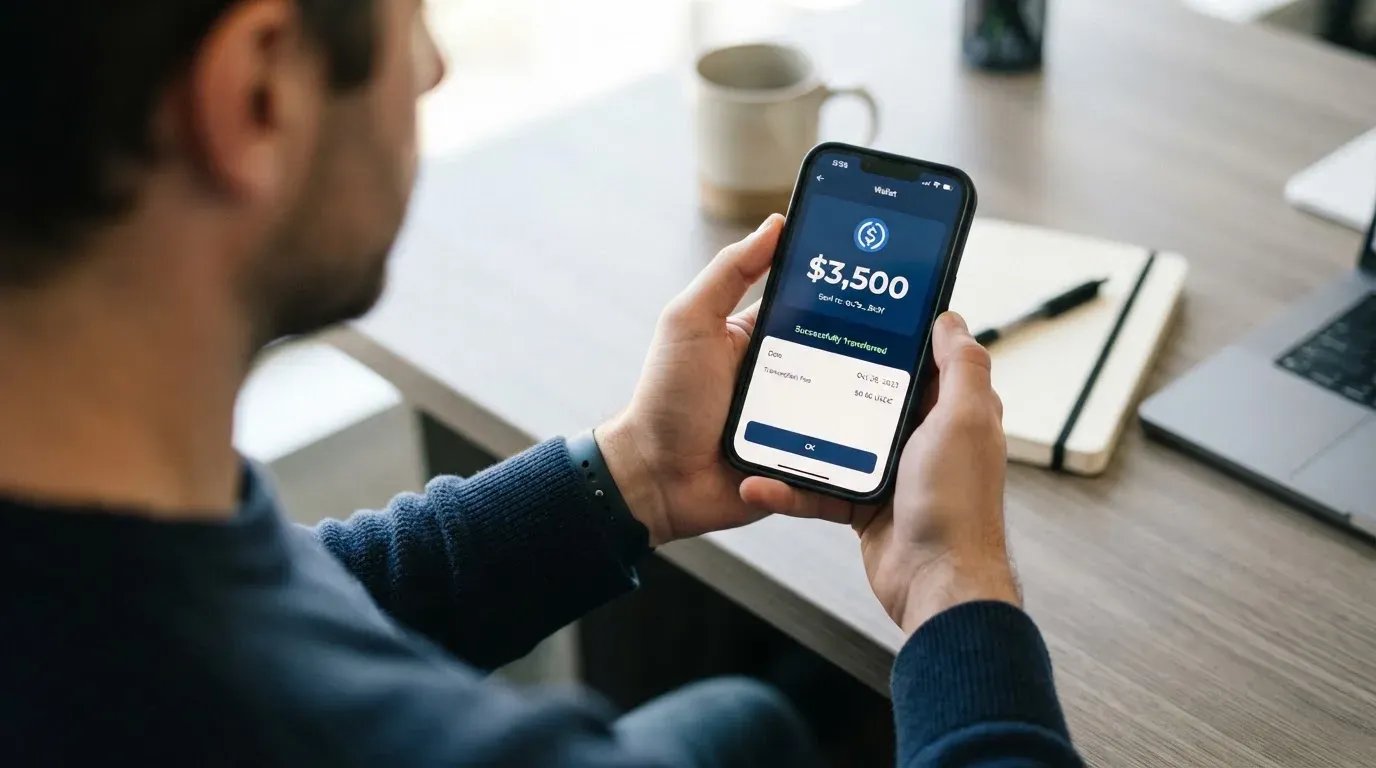
The deposit model is the pre-loaded balance pattern familiar from other crypto cards. You do not spend directly from your wallet at the till; you move USDT into a balance that the card then draws on, and the card cannot overdraw because it can only spend what has been loaded. The published material does not say whether the card converts USDT to a fiat balance the moment it arrives or only at the moment of payment, and that difference can affect what happens to your money while it sits there.
A few details are worth knowing before you send anything.
- No top-up fees are listed, but on-chain network fees are charged by the blockchain, not by the card provider. On TRON, fees are usually paid in TRX and tend to be small; on Polygon and Base they are paid in the network’s native token. None of this is described on the card’s own pages.
- The minimum top-up amount is not stated.
- Who pays the network fee — the user or the card — is not stated. The practical answer is usually “you,” but you should not assume.
- Fiat on-ramps exist through partners: Mercuryo for EU cards, and local providers for Latin America and Asia-Pacific. The costs, limits and supported countries of those partners are not described on the card’s site.
- You can withdraw USDT back to an external wallet, or use partner routes to a bank account. Fees for withdrawal and what happens to any leftover balance if you close the account are not stated.
Two pieces of crypto-card background that matter here, because they are exactly the kind of thing a deposit can go wrong on. First, blockchain transfers are irreversible. A deposit sent on a network the card does not support, or to an address that belongs to a different network, can be lost or, at best, recovered by support with no guarantee. Second, USDT on TRON, Polygon and Base are all real USDT issued by Tether, but the token contract address changes per network. Sending “USDT” to a TRC-20 address from a Polygon wallet, or vice versa, is a common way to lose funds permanently. Always copy the address and the network from inside the bot, and double-check both before you send.
Paying with Balance Pay day to day
Right now the card you can hold is a virtual Visa. Apple Pay and Google Pay are “coming soon,” which means that, today, you enter the card details into a website or app checkout by hand. That is fine for online subscriptions and one-off purchases; it is not the same experience as tapping to pay at a shop.
The card mentions a “multi-currency spend” feature without describing how it works, what currencies are loaded, or what conversion applies when you pay in a currency the card does not hold. There is a mention of merchant-category rules — the same kind of MCC restrictions that most prepaid cards apply to gambling and similar categories — but no list of which categories are blocked or restricted.
There is a referral programme of sorts: bonus points or stablecoin cashback for each friend you bring on who actually activates a card. The amounts are not stated, and the points-to-value conversion is not described, so I cannot tell you whether it is a meaningful reason to choose this card over another.
The control surface for everyday use is the Telegram bot. You can freeze and unfreeze the card, toggle security settings, and receive real-time payment alerts. There is no native app to fall back on if Telegram is down on your phone or you have been logged out. Customer support is reachable through a “Contact support” shortcut in the bot, and by email at [email protected]; there is no phone line, no live chat, and no published support hours.
What can go wrong
This is where the review has to be most direct, because the card’s published material is thinnest on the things most likely to go wrong.
The first is the company behind the card. Balance Pay describes itself as a fintech company, not a bank. The legal entity, country of registration, and issuing bank are not named. In a normal crypto card review those three answers are the first things to look for, because they tell you who is actually responsible for your money and under which regulator’s rules. Here, none of them is given. “Fintech, not a bank” is a real legal distinction: it usually means the card is issued by an electronic money institution or similar, and the funds are safeguarded rather than guaranteed as deposits.
The second is the missing paperwork. The card says “full tariffs and legal documents will appear later.” That means the user agreement, the fee schedule, the complaints procedure, and the dispute process are not yet published. You are signing up on a promise that they will exist at some point. If you need to argue a chargeback or close your account, the document that says how is not yet there.
The third is the track record. I searched for user reviews of balance.money and BalancePay and did not find any. There is no Trustpilot page to read, no app store ratings, and no news articles about incidents. “No complaints” can mean two opposite things: either the product is too new for complaints to have built up, or there is not enough public footprint to find them. You cannot tell which, and the company has not given you a basis to decide.
The fourth is operational risk. Like every custodial crypto product, the funds in your card are only as safe as the company holding them. Crypto card issuers have closed before. In late 2022, Visa terminated its global agreements with FTX, and the FTX US debit card programme was wound down. In 2018, Visa suspended WaveCrest in Europe, closing all WaveCrest-issued Visa programmes at once. When a card programme closes, the typical pattern is: a notice period, then new loads stop, then spending stops, then users are asked to withdraw any remaining balance. If the company behind Balance Pay ever stops operating, that is roughly the experience you should expect.
The fifth is the security model. The card offers freeze, unfreeze, security toggles, and real-time alerts. It does not describe where the underlying funds are held, whether they are segregated, whether they are insured, or what the custody model is. Telegram itself is part of the security model: anyone with access to your Telegram account has access to the bot, and the bot is where the card lives. Two-factor authentication on your Telegram account is therefore not optional.
The sixth is dispute and chargeback. The card does not say. There is no published disputes procedure, no mention of chargeback rights, and no reference to a card scheme’s consumer protection. In the EU, the right of withdrawal and chargeback on card payments is a regulated protection, but it depends on the issuer being authorised and on the user agreement giving you those rights — and the user agreement here is one of the documents that “will appear later.”
Finally, a category-level risk that is worth saying out loud. Stablecoins are not, despite the name, necessarily stable. Tether’s USDT and Circle’s USDC are the two largest, and both aim to keep a 1:1 peg to the US dollar, but the history of stablecoins includes abrupt losses of peg, including the collapse of TerraUSD in 2022 and a brief depeg of USDC in March 2023 during the US banking stress. Topping up a card with USDT is a decision to take the peg risk for the time your balance sits there. The card does not describe what happens if USDT is not at $1 when you load or when you spend.
What to take instead
If the missing information on Balance Pay is what pushes you off it, three cards in roughly the same lane are worth a look. None of them is a like-for-like replacement, and each makes different trade-offs on geography, fees and physical form.
Azul Card is a virtual Mastercard you also manage from Telegram, with a card balance in US dollars. The trade-off is clearer pricing and a published country list. Azul says it works worldwide except Russia, Belarus, North Korea, Iran, Syria, Cuba, Sudan, Venezuela, Ukraine and the Crimea, Donetsk, Luhansk, Zaporizhzhia and Kherson regions, and adds that the restrictions apply regardless of the user’s nationality. On cost, Azul charges $20 for card creation, refunded after you spend $2,000; a $5 monthly maintenance fee; a 4% crypto top-up fee; and a $0.25 per-transaction fee. FX is not stated. Azul scores 5.3/10. The country list is the main thing it has that Balance Pay does not; the fees are the main thing you give up.
Telecard is a virtual Mastercard aimed at a wide international audience. The site says it is usable in over 150 countries wherever Mastercard is accepted, with identity verification “available in most major regions” and no published list. The terms bar users subject to US sanctions, including OFAC. On cost, the Standard plan is $5 one-time, with a $99 minimum deposit to activate, described as “NOT a fee” because the money stays in your wallet; VIP is $49 setup and $19 a month, with $15 for VIP reissuance. The main page advertises zero deposit fees. Currency conversion is 1.5% on non-USD payments, gas is 0.5 USDT per successful transaction, and FX and cross-border fees are described as “up to 3% each.” Funding is USDT on Tron (TRC-20) or Ethereum (ERC-20), or USDC on Ethereum; Polygon is not supported. The main page also lists ETH and TRX, which the help page does not. Telecard scores 6.1/10. It is the most explicit about fees of the three alternatives here.
OnCards is another Telegram-based virtual card, and the most under-described of the three. The site says it offers “a virtual Mastercard / Visa card directly in your Telegram” but does not fix the network. Country availability, fees, and limits are not stated. The only top-up method named is “USDT BEP20,” meaning USDT on BNB Smart Chain. Bank transfers are not accepted. OnCards scores 4.6/10. I would treat it as a starting point for further research, not a comparison.
| Balance Pay | Azul Card | Telecard | OnCards | |
|---|---|---|---|---|
| Score | 5.7 / 10 | 5.3 / 10 | 6.1 / 10 | 4.6 / 10 |
| Card form | Virtual Visa now; physical planned | Virtual Mastercard | Virtual Mastercard | Virtual Mastercard or Visa |
| Country list | Not published | Published, with exclusions | “150+ countries,” OFAC bar | Not stated |
| Sign-up / monthly | Free / none | $20 (refundable after $2,000 spent) / $5 | $5 standard, $49 + $19/mo VIP / varies | Not stated |
| Top-up coins / networks | USDT on TRON, Polygon, Base | Crypto, networks not named | USDT on TRC-20 or ERC-20; USDC on ERC-20 | USDT BEP20 |
| Apple Pay / Google Pay | Coming soon | Not stated | Not stated | Not stated |
| Cashback / referral | Bonus points or stablecoin cashback per activated friend, amounts not stated | Up to 40% of fees from referrals | Fiorini points, rate not specified | Not stated |
The honest read across these four: if you want the clearest geography, Azul. If you want the clearest fees, Telecard. If you want a published user agreement and an issuer you can name, none of the three will give you that, and you may have to look outside the Telegram-first group.
Who I would recommend Balance Pay to
I would recommend Balance Pay to a fairly narrow reader, and I would be candid with that reader about what they are getting into.
You are a good fit if you already use Telegram as a primary app, already hold USDT in a wallet you control, want a virtual Visa number for online payments or for adding to a mobile wallet once that becomes available, and are comfortable that the country list, the fee schedule, the legal entity and the user agreement are not yet published. You are topping up modest amounts, you understand that the balance is sitting with a custodian whose name you cannot yet check, and you are not relying on this card for rent, salary or any payment you cannot afford to have stuck for a few days if a programme shuts down.
You are not a good fit if you need a physical card in the post, if you need cash from ATMs, if you want to spend from your main bank balance, if you need to know the regulator that supervises your card, if your country might be on a sanctions list and you need that to be confirmed before you apply, or if the absence of a Trustpilot page or any user reviews is itself a deal-breaker for you. In any of those cases, the cards in the section above, or a more established crypto card from a named issuer, will be a less stressful choice.
The single most useful thing Balance Pay could do for itself, and for anyone reading this review, is publish the documents the company itself says are coming: the full tariff, the user agreement, the legal entity, the issuing bank, and the list of countries it serves. Until that happens, the card’s strongest feature — the speed from bot to virtual card — is also the reason the rest of the picture is hard to fill in.
Frequently asked questions
What is Balance Pay?
Balance Pay is a fintech product that issues a virtual Visa card through a Telegram bot. You pass an identity check in the bot, top the card up with USDT, and spend the loaded balance anywhere Visa is accepted online. The company describes itself as a fintech rather than a bank, and the legal entity, country of registration and issuing bank are not currently named on its public pages.
How does Balance Pay work?
You open @balance_bot in Telegram, complete a KYC identity check inside the bot, send USDT to a deposit address on one of the supported networks, and the bot issues a virtual Visa. When you pay, the card draws on the loaded balance rather than directly from your crypto wallet. Apple Pay and Google Pay are listed as “coming soon,” and physical cards are planned but not yet available.
Is Balance Pay a bank?
No. The company describes itself as a fintech company, not a bank. The legal entity, the country in which it is registered, and the institution that actually issues the card are not named in the public materials, and the full tariffs and legal documents are described as coming later.
Who owns Balance Pay?
The ownership of Balance Pay is not stated on the company’s public pages. There is no “About” or “Company” section that names the legal entity behind balance.money, and I could not find ownership information in the help pages or the bot.
Is Balance Pay available in my country?
The company does not publish a list of supported or excluded countries. There is no way to check eligibility by country on the website before you start the application. The interface is available in English and Russian, which is the only geographic signal the public pages give. If eligibility matters to you, you will need to start the application in the bot and see what happens.
Does Balance Pay require KYC?
Yes. The bot describes an identity check that it says takes “a few minutes,” but the company does not name the KYC provider, the documents it accepts, or what triggers a manual review. Proof of address and minimum age are not stated. Expect a standard identity check rather than an anonymous card.
How do I top up my Balance Pay card?
You send USDT to a deposit address generated in the bot. Three networks are supported: TRON (TRC-20), Polygon and Base. More networks are listed as “coming soon.” Top-up fees are not published; on-chain network fees are charged by the blockchain. You can also fund the card through fiat on-ramp partners such as Mercuryo for EU cards, with local providers in Latin America and the Asia-Pacific region.
Can I withdraw money from Balance Pay?
You can send USDT from your card balance back to an external wallet, and there are partner routes to bank accounts. The fees for withdrawal, the time it takes, and what happens to any leftover balance if you close the account are not stated in the published material.
Is Balance Pay free?
Sign-up is free and the card has no monthly fee. The Russian-language FAQ mentions a possible one-time fee for issuing a virtual card, but the amount is not given. Conversion, foreign-exchange, and ATM fees are not published, so the all-in cost of a payment is not something the company currently prices in public.
Is Balance Pay safe?
The card offers standard safeguards — freeze and unfreeze, security toggles, real-time payment alerts — but it does not describe where the underlying funds are held, whether they are segregated, or what the custody model is. There is no public Trustpilot page, no user reviews available, and the legal entity and regulator are not named. Treat it as a new product from an unnamed issuer, and do not load more than you can afford to be delayed if the programme were to close.
Virtual cards: picking one for online use – cryptocardpicker
Content created by the «cryptocardpicker» team