
Free to hold, Peru-only, and quiet about the fees that matter
 Available in US
Tulkit is a prepaid Mastercard that lives in Peru. You hold soles, you spend at shops, and you can put money in around the clock from Yape, Plin, a bank transfer or crypto. It is free to open, free to hold and free to top up in local currency. But the card’s own pages name only one country, do not publish the crypto conversion fee or the FX fee, and say nothing about Apple Pay, Google Pay or cash machines. That combination — genuinely cheap in the ways that are easy to advertise, quiet in the ways that are hard to — is why I scored it 5.5 out of 10 rather than higher.
This review is written for anyone reading it. If you are in Peru, or a foreigner holding valid Peruvian immigration papers, most of this applies to you directly. If you are anywhere else, the honest short version is that Tulkit is not addressed to you at all, and I would rather tell you that in the first paragraph than bury it.
The conditions described are current as of October 28, 2026.
The score: 5.5 out of 10
| Criterion | Mark | Why |
|---|---|---|
| Who can get it | 1 / 10 | Peru is the only country named, and the plastic card ships anywhere in Peru |
| Cost | 8 / 10 | No monthly fee, no annual fee, the account and the cards are free; the exchange rate is claimed to be “one of the best on the market” without a figure, and the crypto conversion fee is not disclosed |
| Top-up options | 5 / 10 | Topping up works 24/7 via Yape, Plin, bank transfer or crypto; which coins and which networks are not disclosed |
| Reliability and complaints | 7 / 10 | Tulkit Pay S.A.C. converts between fiat and crypto, e-money is issued by GMoney S.A. under SBS supervision in Peru; no licence number is given, and no complaints were found |
| Everyday use | 7 / 10 | A virtual Mastercard arrives instantly and the physical card comes in 12 designs with free delivery in Peru; Apple Pay, Google Pay and ATM access are not disclosed |
| Total | 5.5 / 10 | A well-priced card with a very narrow door and a lot of unstated numbers |
Read that row-by-row table with one eye on the first row. Everything else about Tulkit is decent. The problem is not that the card is bad — it is that it is one country’s card, and the most important fee in the product, the crypto conversion charge, is the one number the card does not print.
Will they give you the card?
Peru is the only country named. That is not a limitation phrased as a soft caveat in the marketing copy; it is the shape of the whole product, because the plastic card ships anywhere in Peru and the prepaid balance settles only in soles. Foreigners are accepted, but the condition attached to that word is specific: you need a valid Peruvian immigration card.
So the eligibility question resolves quickly, and it resolves differently depending on where you actually live.
| If you are | Can you get Tulkit? |
|---|---|
| A resident of Peru | Yes, this is the market it was built for |
| A foreigner in Peru with valid Peruvian immigration papers | Yes, per the card’s own statement |
| A resident of another country | The card does not name your country, and delivery is Peru-only |
There is no broader “check your country” table published, no waitlist for other markets and no mention of expansion. If you are outside Peru, the realistic reading is that this is not available to you, and the rest of this review is still worth reading only as background on how this kind of card works.
One thing you will not find: the card does not publish its identity verification tiers, the document list it requires, whether it asks for proof of address, or what minimum age it enforces. Registration is described as taking minutes with no paperwork and no credit check — but “no credit check” is not the same as “no checks”, and the specifics of what they do check are the part I would want to read before uploading anything.
How to get it
The stated path is short, and unusually so. Identity verification “takes a few photos”. Registration is described as taking under two minutes, with no paperwork. There is no credit check.
Then the card itself comes in two forms. Tulkit is a Mastercard, available virtual or physical, and the physical card comes in 12 designs. The virtual card is issued instantly; the physical one is shipped free within Peru. What the card does not tell you is how long that delivery takes, or what a replacement costs if you lose it.
There is a separate document that matters here: a “Tarifario Tulkit Card” PDF, which the card’s own pricing page points to as the detailed schedule of charges. That is where I would look before you rely on any figure from a review, including mine — because the fees that actually apply to you live in that document rather than on the marketing pages.
Fees: what it really costs
The headline cost position is genuinely good, and it is the strongest thing about this card. Tulkit states “sin costo mensual, ni anualidad” — no monthly fee, no annual fee. Opening the account is free. Requesting the physical card is free. Requesting the virtual card is free. Sending and receiving soles via Yape, Plin and banks is free of charge.

On top of that, the card claims an exchange rate that is “one of the best on the market” — a phrase with no number attached to it, which in practice means you have to do the comparison yourself. And the two fees that would decide whether this card is cheap for you are simply not stated: the crypto conversion fee and the foreign exchange fee.
| Fee or limit | What Tulkit publishes |
|---|---|
| Account opening | Free |
| Physical card request | Free |
| Virtual card request | Free |
| Monthly fee | None — “sin costo mensual” |
| Annual fee | None — “ni anualidad” |
| Sending/receiving soles via Yape, Plin, banks | Free |
| Exchange rate | Claimed “one of the best on the market”, no figure given |
| Crypto conversion fee | Not stated |
| Foreign exchange fee | Not stated |
| ATM / cash machine fees | Not stated |
| QR payment limit | S/5,150 per day |
| Card spending limits | Settable in the app; no other figures published |
| Tier structure | Not stated for the card (“Tulkit+” is mentioned in connection with crypto withdrawals, without detail) |
That is the honest table. Three of its rows say “not stated”, which is the single most useful thing I can tell you in this section.
Let me run three ordinary payments through it, so the table stops being abstract.
A coffee in a Lima café, paid by QR from the app. This falls under the QR cap of S/5,150 per day, and soles in and out of Yape, Plin and banks are free, so the amount that reaches the merchant is the amount you scanned. This is the scenario where Tulkit looks exactly as good as its marketing suggests.
The same coffee paid from a crypto balance. Here the card runs the conversion, and the conversion fee is not published. If you are choosing between Tulkit and another card on price, this is the number that decides it, and it is the number you will have to get out of the tariff PDF yourself. This is why my Cost mark is 8 and not higher despite the free-to-hold headline.
A purchase in dollars, or anything that settles in another currency. The prepaid card settles only in soles, so the conversion happens somewhere in the chain, and the FX fee is not stated. The card’s pages say you can pay in soles, dollars or crypto and mention a multicurrency FAQ whose answer is missing. Treat the multicurrency side as unconfirmed rather than as a feature.
A quick note on that S/5,150 QR cap: it is a daily ceiling on QR payments specifically, and card limits are set by you in the app. That is a helpful design — you choose your own exposure — but it also means the number that constrains you on a given day is one you set yourself, so set it deliberately rather than by accident.
How to Top up
Topping up is the part Tulkit describes most concretely, and it is the part that works 24/7. Four routes: Yape, Plin, bank transfer, or crypto.
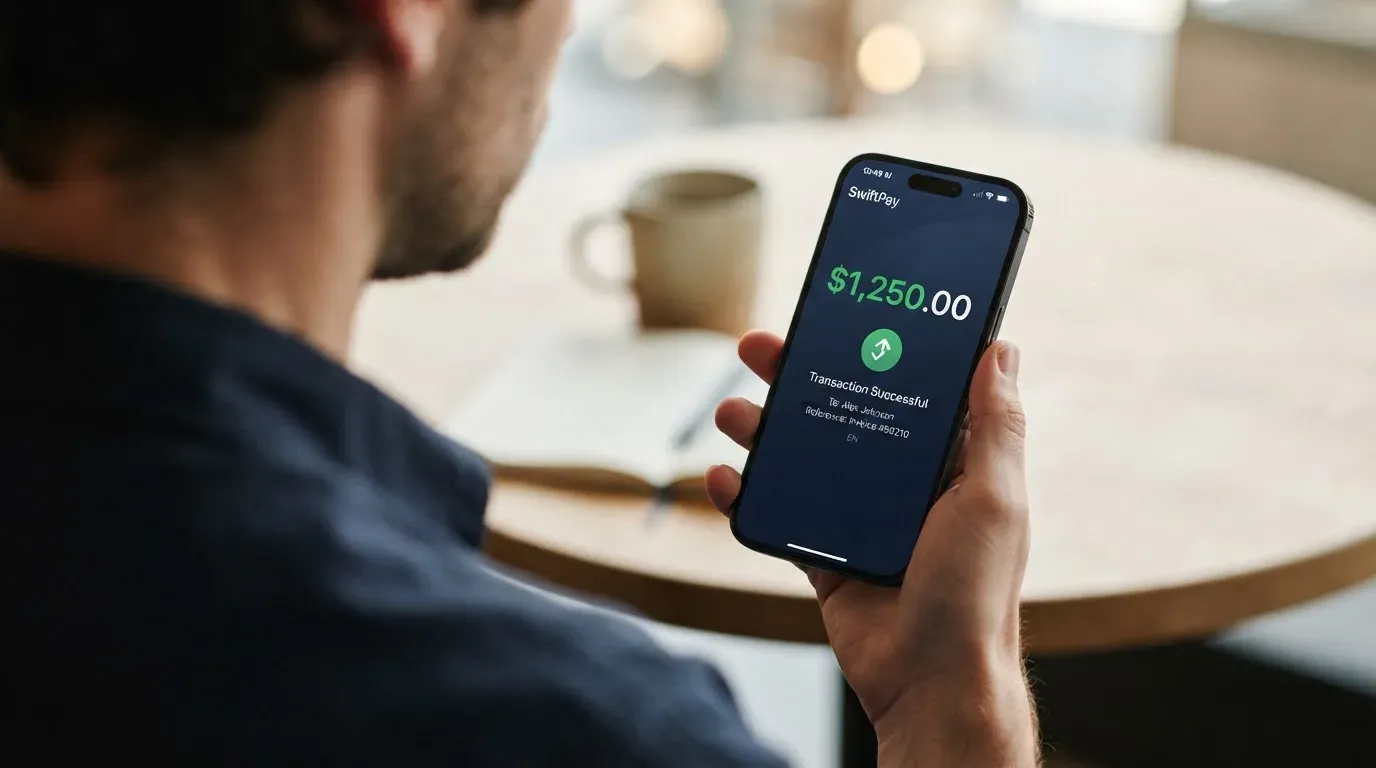
For soles, all three local routes — Yape, Plin and bank transfer — are free of charge. That is the practical core of the card for a Peruvian user: the everyday money-moving is free and instant, and only the crypto path carries unknowns.
Those unknowns are significant. The card does not state which coins or which networks it accepts. The starting data it offers is “BTC, ETH, USDT etc.” — and an “etc.” is not a specification. It does not state a minimum deposit, a deposit fee, or network fees, and it does not say what happens if you send on the wrong network.
This matters more than it sounds. Blockchain transfers are irreversible. If you send on a network the provider does not support, or to an address belonging to a different network, the funds can be lost or need manual support recovery with no guarantee of outcome. On networks where the fee is paid in a different token — Ethereum being the standard example, where gas must be paid in ETH even if you are only moving USDT — a transfer can simply fail because you hold the asset but not the token the network charges in. So the practical rule is: confirm the supported coin and network in the app before your first transfer, not after it.
Crypto withdrawals are treated separately and more favourably: your crypto “stays available for withdrawal at any time”, and transfers are described as instant, with no fees stated. What the card does not say is what happens to the balance if you close the account, so do not treat Tulkit as a place to park funds you might want back later.
Paying with it every day
Day to day, Tulkit is a prepaid Mastercard. That is worth understanding before you use it, because it explains both the good and the frustrating parts.
A card number begins with an issuer identification number — six or eight digits — that tells merchants which institution and country issued it. The rest is an account identifier and a check digit. Merchants can look this up, and where the issuer country differs from the billing address they may apply extra scrutiny. That is why a card issued in one country can look foreign to a shop in another, and it is worth knowing before you blame yourself for a decline.
Prepaid means the card draws on a stored balance rather than asking a bank to pull funds from a linked account at the point of sale. The practical benefit: the balance cannot be overdrawn, and the card simply stops when the money runs out. The practical cost: fewer consumer protections in some situations, and declines where a bank card would have been authorised. Refund rights on prepaid cards vary by country and should not be assumed; if a payment goes wrong, that is a question for the issuer, not something to take on faith.
Now the rewards, because they are the most attractive number on the card and also the vaguest. Tulkit offers up to 2% back in Bitcoin on each purchase. The word “up to” is doing the work, and the further conditions are not stated. I would treat this as a pleasant possibility rather than a plan you can model your spending around.
One every-day capability is conspicuously absent from the published details: neither Apple Pay nor Google Pay is mentioned, nor is ATM withdrawal. There is a Tulkit Pay app on iOS and Android, which is where card lock and unlock, freezing, limit setting and cashback would live — but the app store ratings were not checked, and the card’s pages do not tell you what an ATM withdrawal costs or whether withdrawals are supported at all. If you plan to take cash out regularly, that is a question to ask before you depend on this card.
Also unstated: which wallets are supported, and how disputes work when a charge goes wrong.
What can go wrong
Nobody has written a bad word about Tulkit that I could find. No official incident, and no third-party complaints. There is not even a Trustpilot page for the Tulkit website. And no dated events — no launch announcement, no outage, no fee change that surfaced.
Silence is not a clean bill of health. It is more likely here that Tulkit is simply a small card with a small customer base, which means fewer complaints because fewer people are complaining — not because every problem is being caught.
The company structure is the part to understand. Tulkit Pay S.A.C. handles the conversion between fiat and crypto. The electronic money — the actual spendable balance — is issued by GMoney S.A., described as authorized and regulated by the SBS, which is Peru’s banking supervisor. No licence number is given, which means you cannot independently verify the claim from the regulator’s own records. If that verification matters to you, ask for the number.
On the crypto side, the wallet is custodial: Tulkit claims 90% of assets are held offline, with encryption and “bank-level security”. Offline storage for the majority of reserves is a real mitigation, but custody is custody — the private keys are not yours, and the safeguards around them are described in the company’s own words. What is not stated is what safeguarding arrangements exist for customer funds, and that is the question that separates “held offline” from “protected by law”.
There is also no stated policy for account deletion, and no published dispute process.
Where you can act, the app helps: freeze the card instantly, lock and unlock it, set spending limits, and report account theft through a form. Those are the right tools, and using limits is the habit worth building on a prepaid card.
What to take instead
If Tulkit’s shape does not fit you — most likely because you are not in Peru, or because you want your crypto left in your own wallet — these are the three alternatives I compared it against, on the same questions.
| Tulkit | International Visa Card | UNi Card | Morse | |
|---|---|---|---|---|
| Score here | 5.5 / 10 | 6.7 / 10 | 6.1 / 10 | 7.5 / 10 |
| Where it fits | Peru only | Long restricted list, case-by-case grey list | Not stated | By residence, 140+ countries for P2P |
| Card | Mastercard, virtual and physical, 12 designs | US-issued Platinum Visa, virtual only (physical “coming soon”) | Mastercard network, physical/virtual not stated | Fully virtual Visa prepaid |
| Standing fee | None | None on Classic; Pro $9.00/month; Max $19.00/month | “No annual fee” | Not stated (“fees may apply”) |
| FX | Not stated | Visa exchange rate + 2% FX fee | No FX fee, live OTC rates, “no hidden exchange fees” | Zero FX fees or markups, real-time Visa rate |
| Crypto conversion fee | Not stated | Not stated | “No hidden exchange fees” | Conversions at real rate, no markup |
| Rewards | Up to 2% in Bitcoin, conditions unstated | No cashback stated | Spend-to-Earn up to 3% | Not stated |
| Custody | Custodial, 90% claimed offline | Not stated here | Not stated here | Self-custodial wallet |
The honest reading of that comparison:
Morse scores highest here at 7.5 because it publishes the things that decide your actual cost — zero FX markups, real-time Visa rate, no markup on conversion — and because its wallet is self-custodial, so your keys stay with you. It asks for residence rather than citizenship, the app works in over 140 countries, and local add/withdraw is available in over 70. The catch is that fees are not published on the card pages (“fees may apply, see Cardholder Agreement”), the card is virtual only for now, and a group of countries including the United Kingdom, Australia, Japan, Singapore and Switzerland are in closed beta and need an invite code.
The International Visa Card is strong on transparency and weak on reach. A U.S.-issued Platinum Visa, $5 one-time issuance, no maintenance fee, use in USD free on all plans, foreign currency at the Visa exchange rate plus a clearly stated 2% FX fee, deposits of any kind free. But it excludes residents and registrants of a long list — Belarus, mainland China, North Korea, Cuba, India, Iraq, Iran, Israel, Myanmar, Nepal, Nicaragua, Russia, Syria, Turkey, Ukraine, Venezuela, Vietnam — reviews FATF grey-list countries case by case, and blocks purchases in several of them outright.
UNi Card sits in between at 6.1: a multicurrency Mastercard-network card spending from your account balance, no annual fee, no foreign transaction fee, assets converted at live OTC rates, up to 3% spend-to-earn. What it does not publish is who can get it or how you fund it, which is a lot of missing page for a card you are being asked to trust with money.
Who I would recommend it to
If you are in Peru with Peruvian immigration papers, paying Yape and Plin all day, spending soles at QR codes, and topping up free around the clock — Tulkit is a good card, and the free-to-hold part is genuinely rare. Add up your own monthly Yape, Plin and bank traffic and compare it against what a bank charges for the same thing; on that comparison Tulkit usually wins.
I would also suggest it as a second card rather than your only one, because prepaid means fewer protections when something goes wrong and the app is the only front door to your money.
I would not recommend it if you hold crypto you want to keep in your own wallet. Converting-and-spending is a different act from spending-what-you-own, and this card is built for the first.
I would not recommend it if you are outside Peru.
And before you commit, get the “Tarifario Tulkit Card” PDF and find three numbers: the crypto conversion fee, the FX fee, and what a cash withdrawal costs. The card does not publish them, and every claim in this review that ends in “not stated” ends there for a reason.
Frequently asked questions
What is the Tulkit card?
Tulkit is a prepaid Mastercard issued in Peru. You spend from a balance stored in soles, and you can add money around the clock from Yape, Plin, a bank transfer or crypto. It comes in a virtual form issued instantly and a physical form in twelve designs, shipped free anywhere in Peru. There is no monthly fee, no annual fee, and opening the account and requesting either card are free.
Is Tulkit a bank?
No. Tulkit Pay S.A.C. handles the conversion between fiat and crypto, but the spendable balance is electronic money issued by GMoney S.A., which is described as authorized and regulated by Peru’s banking supervisor, the SBS. That is a different thing from a bank: an e-money issuer holds your balance and cannot lend, and card programme providers like Tulkit are often front-ends over someone else’s licence. No licence number is published.
Who owns Tulkit?
Tulkit is operated by Tulkit Pay S.A.C., a Peruvian company, with the electronic money issued by GMoney S.A. The card does not name a parent company, founder or funding round, and I found no dated public announcements about the business. If ownership detail matters to you, the tariff document and the regulator’s register are where you would look rather than the marketing pages.
Can I get the Tulkit card outside Peru?
On what the card publishes, no. Peru is the only country named, and the physical card ships within Peru only. Foreigners are accepted if they hold valid Peruvian immigration papers, but there is no country list beyond Peru, no waitlist and no stated expansion. Residents of other countries are not addressed by any published eligibility rule, so assume it is not for you.
Does the Tulkit card require KYC?
Yes. Identity verification is described as taking a few photos, with registration in under two minutes, no paperwork and no credit check. The card does not publish its document list, its proof-of-address requirements, its minimum age or its verification tiers. That is different from a full bank onboarding, but it is not anonymous — you should assume your identity documents reach the company and, for the balance, the e-money issuer.
How do I top up the Tulkit card?
Four ways, available 24/7: Yape, Plin, bank transfer, or crypto. Yape, Plin and bank transfers of soles are free of charge. For crypto, the card names BTC, ETH and USDT as starting data but does not publish which coins or networks it actually supports, nor any deposit minimum or deposit fee. Check the supported network in the app before your first transfer — blockchain sends are irreversible.
What are the Tulkit card’s fees?
There is no monthly fee, no annual fee, no charge for the account or for either card, and sending or receiving soles via Yape, Plin and banks is free. The exchange rate is claimed to be “one of the best on the market” with no figure. The crypto conversion fee, the foreign exchange fee and any ATM or cash withdrawal charge are not stated. The detailed schedule sits in a “Tarifario Tulkit Card” PDF that the card’s own pages point to.
Is the Tulkit card safe to use?
No complaints, incidents or Trustpilot page surfaced, which is mild reassurance and weak evidence — small cards attract few complaints. The wallet is custodial, so the private keys are not yours, though Tulkit claims 90% of assets are held offline with encryption. What is not stated is how customer funds are safeguarded. Use the app’s freeze, lock and spending-limit controls, and do not treat the balance as a place to park money you may want back.
Can I add the Tulkit card to Apple Pay?
Not on the published information. Neither Apple Pay nor Google Pay is mentioned anywhere in the card’s details, and its ATM support and charges are unstated too. There is a Tulkit Pay app for iOS and Android, which is where freezing, limits and lock/unlock live, but if contactless-on-phone or cash withdrawal is essential to you, confirm it before you switch your everyday spending over.
Is the Tulkit card worth it?
For a Peruvian resident spending soles daily and topping up through Yape or Plin, the economics look hard to argue with: free to hold, free to fund locally, no monthly drag. The value drops sharply if you intend to spend from crypto, because the conversion fee that decides your real cost is not published, or if you hold crypto you would rather keep in your own wallet, because Tulkit’s model converts first and spends second. Read the tariff PDF, then decide.
App and neobank cards: when one suits you – cryptocardpicker
Content created by the «cryptocardpicker» team