
Apex card, a virtual dollar Mastercard that raises more questions than its FAQ answers
 Available in US
Apex is a virtual-only dollar Mastercard tied to the Apex crypto app, sold by a company called Apex Web Network Ltd. that shows a Nigerian data-protection certificate on its site. The card is a useful thing to look at if you are already inside that app and want a payment card, because the rest of the card’s details — where it is issued, what it costs, who can actually get one — are not stated on the public pages I read. That is the main thing to understand about Apex before you read any further: the product is real and the app is downloadable, but the documentation around it is thin, and the score below reflects that gap.
Conditions are current as of October 28, 2026.
Verdict
I rate Apex 4.2 out of 10. The card is essentially a prepaid virtual Mastercard denominated in US dollars, run by a Nigerian-registered app, and the things you would normally compare it on — fees, eligibility, KYC levels, accepted countries, supported coins and networks — are not described on the card’s public pages. That gap is the reason the score sits in the low single digits rather than the middle.
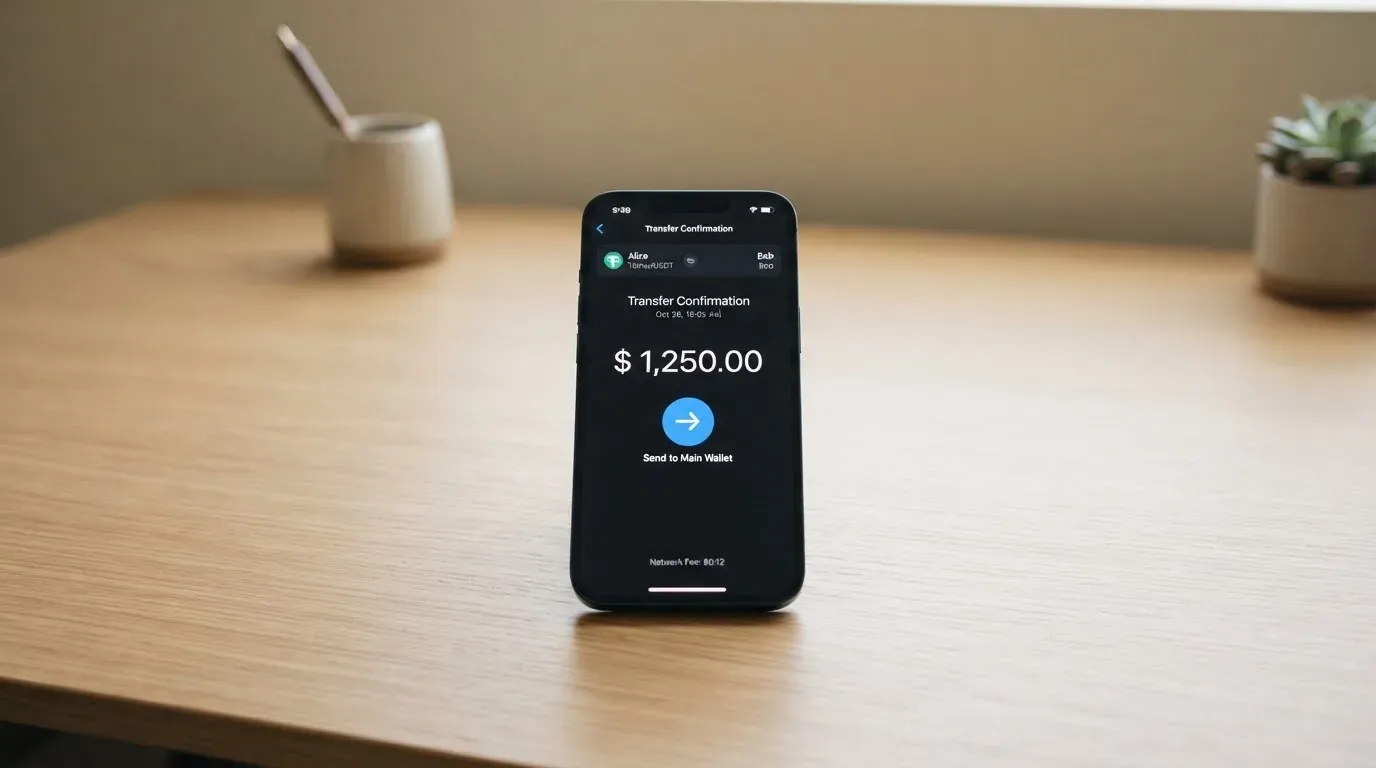
It suits a narrow audience: someone who already uses the Apex app to buy and sell crypto, who wants a virtual dollar card they can use online the moment they fund the balance, and who does not need a physical card, an ATM, or any contactlesstap-to-pay option. If you fall outside that, the card has little to offer today.
It does not suit anyone who needs a card with a published fee schedule, a clearly named issuer, a defined set of supported countries, a known set of coins and networks for topping up, or any sign of an independent licence behind the programme. The app has a 4.5/5 average across 2.3k ratings on the App Store and the seller lists an NDPR (Nigeria Data Protection Regulation) certificate, which are positive signals — but neither replaces an issuer, a licence number or a fee table.
| Criterion | Mark | Why |
|---|---|---|
| Who can get it | 3/10 | Issuing countries are not disclosed on the FAQ or terms pages; starting data pointed at Nigeria and some African countries, but those are not confirmed on the card’s own pages. |
| Cost | 5/10 | Issuance, monthly and per-transaction fees are not stated in the FAQ I read. |
| Top-up options | 5/10 | Funding is from a fiat wallet or a supported crypto balance inside the app, but the supported coins and networks are not listed publicly. |
| Reliability and complaints | 5/10 | The app seller is named (Apex Web Network Ltd.) and shows an NDPR certificate, but the issuer, country of registration and licences are not stated, and I could find no independent card reviews. |
| Everyday use | 3/10 | Virtual dollar Mastercard only, issued instantly; Apple Pay, Google Pay and ATM access are not mentioned, and there is no physical card. |
The score weighs each line equally and adds to 4.2/10. The audience this card is most likely built for is the Nigerian Apex app user who wants an instant virtual dollar card without going through a separate card programme.
Who will they give you the card
This is the first place the Apex documentation falls down, and you should pay attention to it because the same gap shows up in nearly every section of this review.
The FAQ on the Apex site does not list the countries the card is available in. I read the public FAQ and terms page, and there is no table, no “supported countries” section, and no list of excluded countries either. The only country-specific signal I could find is that the app seller is Apex Web Network Ltd. and the site displays a certificate under Nigeria’s Data Protection Regulation (NDPR). That tells you the company is treating Nigeria as a home market, but it does not tell you whether you, sitting in any other country, can be issued a card.
Starting data suggested Nigeria and a handful of other African countries. I want to be clear that this is not confirmed on the card’s own pages, and it is not verified. If you are reading this from outside that region, the safest assumption is that you may not be eligible, and that the app may simply refuse the next step, rather than that you will quietly be issued a card.
What the public pages do say is that the limits on your card depend on the card type, your verification level, and the balance you have available. Verification level is mentioned as a concept, but the levels themselves are not described. The card is described as a virtual dollar Mastercard, and the steps in plain language are: create the card inside the app once you have funded the wallet or card balance, and it is issued instantly. There is no waiting for delivery, because there is no physical card.
What this means for you in practice: if you are looking at Apex because you are not in Nigeria, expect to have to open the app and try, because the website will not tell you in advance. If you are in Nigeria or in a market the app already serves, you should still be ready for a verification step whose exact requirements — the documents, the proof of address, the age cut-off — are also not listed on the public pages.
How to get it
The signup path the app describes is short and is the one part of the product that is reasonably clear. You open the Apex app, you fund either the in-app fiat wallet or a supported crypto balance, and from there you create the card. Once you do that, the card is issued instantly.
The App Store listing calls the product “Apex: Buy, Sell & Trade Crypto” and the seller is named Apex Web Network Ltd. The card itself is referred to in the App Store text as a “virtual dollar MasterCard”, which is consistent with what the FAQ says about it being a virtual card denominated in US dollars. There is no mention of a physical card, and no indication that you will ever be sent one in the post.
What the public pages do not describe, even though they would normally appear in this part of any card’s signup flow:
- The exact list of KYC documents (passport, national ID, proof of address) and the age requirement.
- The verification levels and what changes between them in terms of limits.
- Whether the card is a single product or whether it comes in tiers.
- The issuing bank or licensed e-money institution that actually issues the Mastercard.
I want to flag the last point specifically, because it is the one that affects every reader. A card branded “Apex” and sitting in the Apex app is, in the way card networks work, almost always a programme run by a licensed issuer — typically a bank or an e-money institution — with Apex acting as the programme manager or front end. The card network (Mastercard) sets the rules, the issuer holds the programme, and the brand markets the card. The public Apex pages do not name that issuer, and they do not name the licence that issuer is operating under. For a US dollar card, that is a meaningful piece of information to be missing.
What you should check first, in order:
- That the app is available in your country’s app store and that the seller name on the listing matches Apex Web Network Ltd.
- That your country is one the card’s signup flow does not reject. There is no public list, so this is unfortunately a matter of opening the app and trying.
- That you have a way to fund the balance, which I cover in the top-up section below.
- That you are comfortable proceeding without a published fee schedule, because the FAQ does not give you one.
Fees: what it really costs
This is the section where I have to be the most straightforward with you, and that is because the card’s own public pages do not state its fees. The FAQ does not list an issuance fee, a monthly fee, a conversion fee, a foreign-exchange fee or an ATM fee. The documentation marks every one of these as “not stated”, and I am not going to invent a number to fill the gap.

What I can do is give you the shape of the cost surface, with the cells I cannot fill left explicitly empty. The next table is built only from the card’s own public information — empty cells are not estimates, they are gaps.
| Fee or limit | Value | Source |
|---|---|---|
| Issuance fee | not stated | Card FAQ / terms |
| Monthly fee | not stated | Card FAQ / terms |
| Conversion (crypto to USD at payment) | not stated | Card FAQ / terms |
| Foreign-exchange fee (USD charged in another currency) | not stated | Card FAQ / terms |
| ATM withdrawal | not stated | Card FAQ / terms |
| Daily spend limit | not stated; depends on card type, verification level and available balance | Card FAQ / terms |
| Monthly spend limit | not stated; depends on card type, verification level and available balance | Card FAQ / terms |
| Supported card currency | USD only; multi-currency not stated | Card FAQ / terms |
| Card types or tiers | tiers mentioned as a limit factor but not described | Card FAQ / terms |
To make that less abstract, let me walk through three everyday payments and ask, in each case, what fees you would actually be charged. The honest answer in every case is: the card’s public pages do not say.
A coffee in Lagos paid in naira from a USD card. You fund the card with dollars, the merchant is billed in naira, the network converts at wholesale, and a card-issuing bank adds a foreign-exchange margin. The size of that margin is not stated in the Apex documentation. Some issuers add nothing on USD-to-USD or pass through wholesale; others add a percentage. With Apex you cannot tell in advance, and the cost you actually pay will only show up in the app after the transaction settles.
A subscription in dollars to an online service. The card is denominated in dollars, so the merchant is billed in dollars and the conversion question does not arise. If the issuer charges a per-transaction fee on top of that, it is not stated, and you would only see it in the line item after the charge.
An ATM withdrawal. The FAQ does not say whether ATM withdrawals are supported at all. There is no physical card, and no mention of a cardless ATM mechanism. If the card cannot be used at an ATM, the question of an ATM fee is moot, but the public pages do not confirm that either.
If you are choosing between two cards, and one of them has a fee schedule on its website, the comparison is decided before you start. The cost line is where Apex’s missing information hurts the reader most, because a fee you do not know about in advance is the most expensive kind of fee.
How to top it up
Funding is the second area where the card tells you roughly what happens and not exactly how. The FAQ states that the card is funded either from a fiat wallet inside the app, or from a supported crypto balance also held inside the app. The supported coins and the supported networks are not stated. That is the part to be careful with, because in practice the difference between “the card supports USDC on Ethereum” and “the card supports USDT on Tron” can be the difference between a normal transfer and a lost deposit.
To give that some shape, here is what the public pages commit to and what they leave to you to work out:
- Funding source: an in-app fiat wallet, or a supported crypto balance in the same app.
- Supported coins: not stated publicly.
- Supported networks for each coin: not stated publicly.
- Minimum or maximum top-up amount: not stated.
- Time for a top-up to clear: not stated; the app issues the card “instantly” once the balance is in place, which suggests at least the internal balance update is fast.
- Auto top-up: not stated.
- Withdrawals from the card: not stated beyond the fact that the FAQ has a Withdrawals & Transfers section that I did not read end to end.
The reason this matters: blockchain transfers are irreversible, and if you send a coin on a network the card provider does not support, the deposit can be lost or, in the best case, require manual support intervention with no guarantee of recovery. The fact that Apex is a crypto app does not insulate you from that. If you are topping up with stablecoins, you should be especially careful: USDC and USDT both travel over multiple networks, the same token can be sent on Ethereum, Tron, Solana and others, and a token sent on the wrong one will not simply be re-routed.
What to do in practice:
- Open the card funding screen inside the app and read the coin and network the app shows for the deposit address before you send anything.
- Send a small test amount first, not the full balance. A small loss is recoverable; a large loss on the wrong network often is not.
- Keep a small amount of the native network token in your funding wallet if the network charges gas in a separate token. On Ethereum, for example, USDT and USDC are ERC-20 tokens and gas is paid in ETH, so a wallet with USDT and no ETH cannot send.
- Do not assume that the same coin on a different network is interchangeable. Circle, for example, stopped supporting USDC on Tron in February 2024, so “USDC over TRC20” is not a current option through that issuer.
If you cannot find a public list of supported coins and networks, the only safe path is the one inside the app. The FAQ is explicit that those are not stated, and I would rather tell you that than guess.
Paying with it every day
The everyday-use story is the simplest part of this card to describe, because there is not much to it. Apex is a virtual-only card, denominated in US dollars, on the Mastercard network. The card is issued instantly after you fund the balance, and you spend it at online merchants that accept Mastercard.
What is not in the picture is at least as long as what is. None of the following is confirmed: Apple Pay, Google Pay, ATM access, contactless in-store payments, or a physical card. Some of those may work in practice — virtual cards can in principle be added to mobile wallets if the issuer supports tokenisation — but the card’s own public pages do not say so, and I am not going to fill that in for them.
A few practical consequences follow directly from the virtual-only design:
- The card works for online and in-app purchases at merchants that accept Mastercard. That is the realistic centre of gravity.
- The card cannot be used at a physical card terminal in a shop unless you can add it to a mobile wallet, and tokenisation support is not stated.
- There is no card to insert into an ATM, and the FAQ does not describe any cardless withdrawal method.
- The card is denominated in US dollars, so any purchase in a non-USD currency is a foreign-exchange transaction. The cost of that transaction is not stated (see the Fees section).
The app the card sits in has a reasonable reputation on the App Store — 4.5 out of 5 across roughly 2.3k ratings as of 21 October 2026 — and the seller is consistently named as Apex Web Network Ltd. That tells you the app itself is in active use and is not, at the moment, generating a wave of one-star reviews. It does not tell you anything about the card, which I could not find reviewed independently.
There is no published rewards or cashback programme. Some crypto cards pay a small percentage back in the card’s own token, and Apex does not appear to be one of them, at least not on the basis of the public pages I read. If rewards are part of your decision, treat that as not offered until the in-app screen tells you otherwise.
For disputes — a charge you do not recognise, a service you paid for that did not arrive — the FAQ does not describe a process. Under card-network rules you have a right to dispute a transaction, and the issuer is the entity that handles the chargeback, not the brand on the front of the card. Without a named issuer on the public pages, the path for raising a dispute is not something I can map out for you in advance. Your practical step is to use the in-app support channel as soon as a problem appears, and to keep your receipts.
What can go wrong
This section is short for a reason: the public pages do not list risks, and most of the safety items are “not stated” rather than red flags. That is not the same as a clean bill of health — it is the absence of information, which is its own kind of risk.
What I can say from what is on the public pages:
- The card can be frozen, unfrozen or permanently blocked from the card settings inside the app. That is a useful control, because it means a lost or compromised card can be stopped quickly. The public pages do not describe custody, two-factor authentication, or how account-level security interacts with the card.
- The card’s site links an Asset Recovery Policy that I did not read end-to-end. If you fund the card from a crypto balance, that policy is one of the documents you should read before you make a large deposit.
- The seller of the app is Apex Web Network Ltd., and the site displays an NDPR certificate. NDPR is Nigeria’s data-protection regulation, so this tells you the company is operating under Nigerian data-protection law and has a public-facing certificate to show for it. It does not tell you anything about the card’s issuer, the licence the issuer holds, or the country in which the company is incorporated for card-issuing purposes.
What I could not find in the public pages:
- An independent card review. There is no Trustpilot page for Apex Network as a card provider, and no third-party review I could point you to.
- A regulator’s public register entry naming the issuer. The card is a US-dollar Mastercard, and the issuer of such cards is normally a bank or an e-money institution registered somewhere. That name is not on the card’s own pages, and I did not find it elsewhere.
- A licence number. MiCA-authorised crypto-asset service providers are listed on ESMA’s interim register, and a licensed US issuer would be searchable in FinCEN’s MSB registry or in the relevant state regulator’s database. I have not recorded a hit on either, nor a clean miss, so this is something you would want to check yourself if the card is for more than a small balance.
A few risks that are general to crypto cards but worth saying out loud, because they apply to Apex as much as to anything else:
- A prepaid card draws on a stored balance, and crypto balances in custodial apps sit with the company, not with you. If the company has the kind of incident that Mt. Gox, Coincheck or Ronin had, your balance is at risk along with the rest of the platform. There is no record of any such incident for Apex, and I did not find one in my own reading, but the structure of the risk is unchanged.
- A card programme can be wound down by the network. Visa terminated its global agreements with FTX in November 2022, and WaveCrest, a Visa card issuer behind several crypto card programmes, was suspended by Visa in Europe in 2018. There is no public notice of any programme closure affecting Apex. The risk is that if it ever happened, the practical order is: a notice period, then new loads stop, then spending stops, then a window to withdraw remaining balances.
- A failed transaction can hold your funds for several days, typically up to about seven. That is a feature of card networks rather than of Apex, and it is worth knowing if you are timing a top-up against a payment.
- Stablecoins are not the same as cash. They aim to hold a stable value, but the word “stable” is the issuer’s word for it, not a guarantee. Two issuers, Tether’s USDT and Circle’s USDC, account for the large majority of stablecoin market value, and even USDC temporarily lost its peg in March 2023 during the US banking crisis. If the card’s funding model involves a stablecoin balance that is converted at payment, your effective spend rate depends on that peg holding.
The simplest way to put it: Apex has not given the public enough information to evaluate its safety, and the absence of a named issuer is the single biggest open question. If you keep the balance small and the funding reversible, the worst-case outcome is bounded. If you load it heavily, the worst case is harder to bound because you cannot see who the counterparty is.
What to take instead
Three other cards come up in the same space as Apex, and a short comparison is the most useful thing I can give you because the score table alone is not enough. None of these is a direct replacement — they have different geographies, different fee structures and different reward models — but they are the realistic alternatives a reader in the market for a virtual dollar card should look at first.
| Card | Score | Card type | Where it works | Cost | Funding | Rewards |
|---|---|---|---|---|---|---|
| Apex | 4.2/10 | Virtual Mastercard, USD only | not stated | not stated | in-app fiat or crypto balance | not stated |
| Young Card | 5.7/10 | not stated officially | not stated | not stated | not stated for the card itself | Cashback in YNG tokens, rate by Club tier: Essential 0.1%, Gold 1.8%, Platinum 3.6% (Bronze and Silver not stated) |
| Coinbase Card | 6.4/10 | Visa prepaid debit, virtual or physical | all US states except Hawaii | zero spending fees, no annual fees | US bank account or crypto on Coinbase; all crypto converted to USD at purchase | optional crypto rewards, US Card users only, rate variable and shown in the app |
| OKX | 6.2/10 | Virtual Mastercard, EUR, in OKX Pay | EU plus Norway (Iceland and Liechtenstein excluded) | no card fee, no OKX FX fee, conversion spread 0.1% per the explainer (May 2026), launch press release said 0.4% — explainer is newer | USDC or USDG in OKX Pay; other coins must be converted first; no auto top-up; payment declined if balance insufficient | cashback on USDG purchases only (USDC earns none); monthly caps in EUR by tier, ranging from 2% / cap 10 at Regular to 10% / cap 1,000 at VIP4+ (text says 2–5%, table 10% — inconsistent) |
Reading the table left to right, three things stand out. The first is that Coinbase Card is the only one in the list that has a fee schedule on its public pages — zero spending fees, no annual fees, a spread applied at conversion. The second is that OKX is the only one in the list with a published geography (EU plus Norway) and a named licensing path (OKX Europe Ltd. as a MiCAR-licensed entity, card issued by an unnamed European licensed payment provider). The third is that Young Card is in a similar position to Apex on most of the comparison criteria — country availability, fees and the card’s own funding model are not stated — but it has a published rewards structure, which gives it an edge if you spend enough for rewards to matter.
A few practical notes on the alternatives:
- Coinbase Card is a sensible choice if you are in the US outside Hawaii, want a Visa debit card you can use as virtual or physical, and already keep a balance on Coinbase. All your crypto is converted to US dollars for purchases and ATM withdrawals, and the spread is the cost to watch rather than a per-transaction fee.
- OKX is a sensible choice if you are in the EU or Norway (and not in Iceland or Liechtenstein), want a euro-denominated virtual Mastercard, and already use OKX Pay. The card is virtual only in the public materials, the conversion is at point of purchase, and the rewards structure is USDG-specific, so it is not a general-purpose cashback card.
- Young Card is closer to Apex in profile than the other two, and the comparison is mostly about whether the published rewards tiers are enough to overcome the lack of public information on the rest of the product. The score sits at 5.7, a notch and a half above Apex.
If you are outside all of these, the answer is the same as it is for Apex: the card programmes that publish eligibility, fees and licensing are the ones that score higher, and Apex is not in that group.
Who I would recommend it to
If you have read this far, you have probably already worked out whether the card is for you, but I will be direct.
Apex is the right card for a very specific kind of reader: someone who is already using the Apex app to buy and sell crypto, who is in a market the app serves (with Nigeria the most clearly indicated one), who wants a virtual dollar card they can use online the moment the balance is in place, and who is happy to live without a published fee schedule, a physical card, mobile-wallet support or an ATM. If that is you, the card is essentially a convenience feature inside an app you already trust, and the rating is not the right number to look at. Look at whether the app works for you, and then use the card as a payment instrument funded from the same balance.
Apex is not the right card for almost anyone else. If you are choosing a crypto card primarily on the basis of cost, Coinbase Card has a fee schedule. If you are choosing on the basis of regulatory clarity, OKX has a named MiCAR-licensed entity and a published geography. If you want a published rewards structure, Young Card has tiers. If you want a card you can hand to a friend and say “here is the country list, here is the fee table, here is the issuer”, Apex does not have any of those things. Until it does, the score is what it is, and the better alternative is whichever one of the cards above matches your country, your funding balance, and how much information you want before you sign up.
One last thing. I have tried to be honest about what the card’s public pages do not say, and I would rather you finish this review knowing exactly what is missing than knowing a round number. The score is a summary, and the gaps in the table behind the score are the reason the summary is what it is.
Frequently asked questions
What is the Apex card?
The Apex card is a virtual US-dollar Mastercard issued from inside the Apex crypto app. The card is described in the App Store listing for the app as a “virtual dollar MasterCard”, and the card’s FAQ describes it as a virtual card denominated in US dollars. There is no physical version of the card, and there is no mention of Apple Pay, Google Pay or ATM support on the public pages I read.
How does the Apex card work?
You fund a balance inside the Apex app — either a fiat wallet or a supported crypto balance — and the card is issued instantly. From that point it works as a prepaid virtual Mastercard: at each payment the balance is drawn down, and if the balance was funded from crypto it is converted to US dollars at the moment of purchase. The conversion rate, fees and supported coins are not stated publicly.
Is Apex a bank?
No. The app seller is Apex Web Network Ltd., and the card’s site describes Apex as a crypto exchange. The card is presented as a prepaid virtual Mastercard, and the issuing bank or licensed e-money institution behind the card programme is not named on the public pages I read. The distinction matters because deposit guarantee schemes and banking regulation do not apply to prepaid card balances in the way they do to bank deposits.
Who owns Apex?
The app’s seller is named as Apex Web Network Ltd. on the App Store listing. The site shows a Nigeria Data Protection Regulation (NDPR) certificate. The country of incorporation for card-issuing purposes and the issuer of the card are not stated on the public pages.
Is the Apex card available in my country?
The card’s FAQ does not list supported or excluded countries. The clearest country-specific signal is the NDPR certificate, which is Nigerian, and the starting data I worked from pointed at Nigeria and a selection of African countries, though that is not confirmed on the card’s own pages. The only practical way to find out is to open the app and try.
How do I get the Apex card?
You download the Apex app, fund either the in-app fiat wallet or a supported crypto balance, and create the card from inside the app. The card is issued instantly. The exact KYC documents required, the age cut-off, the verification levels and the supported countries are not described in the public FAQ.
Does the Apex card require KYC?
The card’s FAQ says limits depend on card type, verification level and available balance, which implies there is a KYC step with tiers, but the specific documents and the tiers are not described on the public pages. If you do not complete verification, your limits will be the lowest tier the programme offers.
How do I top up the Apex card?
You top up the card from a fiat wallet or a supported crypto balance inside the Apex app. The supported coins and the networks they are sent on are not stated publicly. Because blockchain transfers are irreversible, send a small test amount first, and make sure the network the app shows for the deposit address is the network you actually use.
Is the Apex card free?
The card’s public pages do not state an issuance fee, a monthly fee, a conversion fee, a foreign-exchange fee or an ATM fee. The card is described as virtual, and there is no mention of a physical card, so the question of an issuance fee for shipping does not arise. I would not call it “free” in the absence of a fee schedule — I would call the fees “unstated”.
Is the Apex card safe?
The card can be frozen, unfrozen or permanently blocked from inside the app, and the app has a 4.5/5 average on the App Store across 2.3k ratings as of 21 October 2026. The card’s site shows an NDPR certificate, and the seller is named. Beyond that, the public pages do not name the card’s issuer, the licence the issuer holds, or the country in which the card programme is registered, and I could not find an independent card review. The safest practical step is to keep the balance on the card small enough that a worst-case outcome is one you can absorb.
Exchange cards: choosing by where your coins sit – cryptocardpicker
Content created by the «cryptocardpicker» team