
The card that spends straight from a crypto wallet — and the checks to make first
 Available in US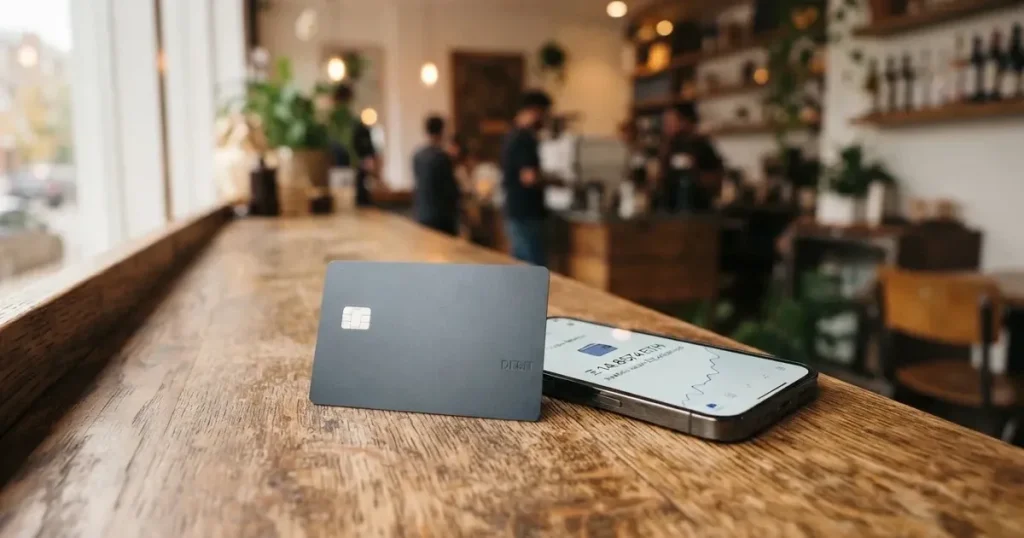
Cleva is not really a bank. It is a virtual Visa card and a multi-currency wallet in one app, built mainly for people who get paid in dollars or stablecoins and spend that money online. There is no physical card, no monthly fee, and a card creation fee of $3. That simplicity is genuinely attractive. What holds it back is transparency: the card’s public pages do not publish which countries can get one, several limits and fees are simply not stated, and the fees people actually pay depend on things you only learn after you have opened an account.
My score for Cleva is 5.8 / 10. That is not a bad card. It is a card with real strengths in one narrow direction — spending a stablecoin or dollar balance online — and real gaps in the direction a payment card is judged on: how much it costs, where it works, and what happens when something goes wrong.
Conditions are current as of October 28, 2026.
Who it suits, in one line: freelancers and remote workers in Nigeria and the United States who are paid in dollars or stablecoins and who buy things online. Who it does not suit: anyone who needs a physical card, a card they can withdraw cash from, a card accepted everywhere, or published rules about who can hold one.
The score, criterion by criterion
| Criterion | Mark | Why |
|---|---|---|
| Who can get it | 3 / 10 | The country list is not published; KYC guides exist only for Nigeria and the United States |
| Cost | 7 / 10 | Card creation $3, no monthly fee; international transaction 2% + $0.80; card funding $0 |
| Top-up options | 6 / 10 | USD wallet: USDT/USDC deposit $2.00, US debit card free, ACH, wire; networks not named |
| Reliability and complaints | 8 / 10 | Licensed US partners, MSB registration with FinCEN; Trustpilot 4.7/5 from 126 reviews; App Store 4.7/5 from 1.5K ratings |
| Everyday use | 5 / 10 | Virtual USD only; Apple Pay and Google Pay are supported; no ATM |
| Total | 5.8 / 10 | A good dollar-spending tool with thin published detail |
The 8 out of 10 for reliability is the surprise. This is a young product with a regulatory footprint that looks real — licensed US-based partners, Money Service Business registration with FinCEN, a stated IMTO licence from the Central Bank of Nigeria — and a user-review profile that is unusually clean at 4.7 out of 5 on Trustpilot from 126 reviews, 124 of them in the last twelve months, with 5% one-star. The 3 out of 10 for eligibility is the other surprise, and it is the one that decides whether you can read the rest of this page. Everything else here assumes you clear that gate.
Will they give you the card?
They will not tell you. The country list for the card is not published on the public pages I could read. The help centre has identity-verification guides for Nigeria and the United States only. An earlier check of the site listed Africa — including Nigeria, Ghana, Uganda and Kenya — and the United States, and a site statement says accounts can receive USD, GBP and EUR “regardless of where you’re based”. Those three things do not line up neatly, and “regardless of where you’re based” is a statement about receiving money, not about being approved for a card.
The practical difference matters more than the wording. If you are in a country with a published guide, you know which documents to send and roughly how long it takes. If you are not, you are applying blind. There is a US resident in Los Angeles who can read the exact checklist. There is someone in Nairobi who can read the Nigerian one. There is someone in an unnamed third country who can read neither and can only find out by trying.
So this is the first thing to check, before you get attached to the fees or the wallet: find out whether you are in the covered set at all. Apply with the wrong expectation and you may spend an afternoon on a selfie and a document upload for an application that was never going to be approved. Nothing about that is an accusation — it is a small company with two documented markets and no published map of the third.
Two more things you will want to know before you start. First, there is one verification, not a tiered system: you either clear it or you do not, and no published tiers exist. Second, prepaid and debit cards are generally available to adults of 18 and over, and some issuers set higher limits of their own.
How to get it
Identity verification is required to open the USD account, and the two documented routes differ enough to be worth reading separately.
If you are in Nigeria, the guide asks for an international passport, a voter’s card, a driver’s licence or a NIN number, the original physical ID, plus a live selfie. The billing address comes from your verified KYC data rather than from something you type in. No timeframe is published for this route, so treat “how long” as unknown.
If you are in the United States, the guide asks for an international passport, an ID card, a driver’s licence or a residence permit, an SSN, your address matching your ID — including the unit number — a Stripe Link connection, and a live selfie. The card states that verification “takes only a few minutes”. That is a claim about the verification step on its own, not about how long the whole account takes.
What is not stated anywhere I could find: whether a separate proof-of-address document is needed beyond what each guide lists, and what the age rule is beyond the general 18-plus convention of the category. If you are between 18 and 21, or if your address is not on your ID, those are the two things to ask support before you upload anything.
The sequence itself is short and ordinary. Sign up by email, verify your identity, open the USD account, create the card for $3. The card is virtual, several cards are allowed, the design is customisable, the currency is USD, and acceptance is on Visa’s network — the site puts it at “150 million+ merchants worldwide where Visa is accepted”. Delivery is not applicable because there is no physical card to deliver.
One thing worth knowing before a document gets rejected: the help centre lists the rejection reasons. Details that do not match your ID; a blurry, cropped or unreadable image; an unsupported ID type or format, including expired, photocopied, screenshotted, scanned or digital copies; and a failed facial check. Four of those five are avoidable with a flat, well-lit photo of an original document.
What it really costs: Fees
Here is everything Cleva actually publishes about money, in one place, so you can see the shape of it before you read the detail.
| Fee or limit | Value |
|---|---|
| Card creation | $3 |
| Monthly fee | None listed |
| Card authorization | $0.80 per transaction |
| International transaction (non-US sites) | 2% + $0.80 |
| Card funding | $0 |
| Decline fee | $0 |
| Crypto conversion for the card | Not stated |
| Stablecoin deposit | $2.00 flat |
| US debit card funding | Free |
| ACH / FedNow funding | 0.8%, min $2.00, max $5.00 |
| Wire funding | $10.00 |
| GBP / EUR funding | 0.8%, min $2.00, max $10.00, auto-converted to USD |
| Upwork deposits | Free |
| Dispute fee | $50 per card dispute |
| ATM | Not stated (virtual card for online payments) |
| Per-transaction spending limit | User-set, $1 to $3,000 |
| Cards allowed | Up to 3 within 90 days |
| Daily and monthly limits | Not stated |
| Card currency | USD; app notes say it works in multiple currencies with automatic conversion |
Three everyday payments, so the structure is concrete.
A $30 subscription in the US. You tap the card and the $0.80 authorization fee applies. Everything else is $0, because card funding is $0 and there is no monthly charge to amortise. This is the cheapest way to use Cleva, and it is the reason a $3 virtual card makes sense at all.
A $60 online order from a non-US site. Here the international rate bites: 2% plus $0.80. On $60 that is $1.20 plus $0.80, so $2.00 on top of the purchase. On a small purchase it is proportionally worse — for example on $20, the $0.80 fee represents a larger share of the total cost. The percentage is charged by the merchant’s side, and the $0.80 is charged by yours, so small cross-border purchases are where the structure punishes you.
A $15 top-up in USDT. The card states a $2.00 deposit fee for USDT/USDC. Its app notes say the wording is changing to “$2 flat fee, regardless of amount”, and that payments under $2 are charged $1. So a $15 top-up costs you $2 of stablecoin on top of the $15 — about 13% for that one load. The costs section does not state a crypto conversion fee for the card itself, which is a real gap: if your balance sits in a token and you spend dollars, someone converts it, and the card pages do not say what that costs. Ask before you rely on it.
Two more cost facts that are easy to miss. There is one card type, “Classic”, so there is no premium tier to upgrade into. And a card may be closed after 15 consecutive declines for insufficient funds — a successful spend of $0.5 or more resets the counter, but only after 24 hours. That is a slightly brutal rule for anyone whose card is their payroll card: fifteen failed payments in a row and it is shut. Set your spending limit with that in mind.
The dispute fee deserves its own line of attention. $50 per card dispute is not a fee for the merchant’s error; it is what you pay to ask the issuer to investigate. Given that the chargeback process and time frames are not stated, you are paying $50 to use a process whose length nobody has published.
How to Top up
The card spends directly from the Cleva USD wallet, so topping up is really about funding that wallet. There are more routes than most cards of this kind offer, and that is the strongest part of the product.
- USDT or USDC deposit — $2.00 flat. The app notes quote the wording as “$2 flat fee, regardless of amount”, with payments under $2 charged $1. The networks for USDT and USDC are not stated, and this is the single most important missing fact on this page.
- US debit card — free. The cheapest route if you have a US card.
- ACH or FedNow — 0.8%, minimum $2.00, maximum $5.00.
- Wire — $10.00. Expensive for a single load; it only makes sense for a large one.
- GBP or EUR transfer — 0.8%, minimum $2.00, maximum $10.00, auto-converted to USD on arrival.
- Upwork deposits — free. If you get paid through Upwork, this is the cheapest way in.
The unknown about networks is worth pausing on, because it is where stablecoin users lose money. Blockchain transfers are irreversible. If you send USDT on a network Cleva does not support, or to an address belonging to a different network, the funds can be gone or can need manual support recovery with no guarantee. Cleva does not publish which networks to use. Ask, in writing, before your first transfer, and compare the answer against the list of networks you already hold tokens on.
It is also worth knowing what Cleva is not saying. The minimum deposit is not stated. Who pays the on-chain network fee — you or Cleva — is not stated. And on the way out, a fee for converting from USD and a payout fee exist as FAQ entries but the amounts are not readable; transfers to local bank accounts are advertised as free, and what happens to a leftover balance if you close the account is not stated.
That last point is the classic trap in this category. Programme closures typically run in a predictable order — a notice period, then spending and loading stop, then you are asked to withdraw what remains. A card whose closure balance is not stated is a card you should never leave more money in than you need this week.
Paying with it every day
Day to day, Cleva behaves like a decent prepaid card and a slightly limited one.
You can add the card to Apple Pay or Google Pay, which is the practical answer to “there is no physical card”. Tokenised mobile wallet payments replace your card number with a device-specific number and a one-time code per purchase, so adding the card to a phone wallet is also the safer way to use it day to day. Where you use it matters, though: some merchant categories are unsupported by merchant category code and the list is not given. Example supported merchants named by the company include Amazon, Upwork, PayPal, Claude, OpenAI, TikTok and Meta.
No cash. There is no ATM function — the pages describe a virtual card for online payments and say nothing about withdrawals, and a virtual card cannot be inserted into a machine. If you need physical money, this card is not a candidate.
Rewards are the other place to look honestly. There is no card cashback stated. Cleva Points, which are cashback on transactions redeemable for USD, and USD Savings up to 3% per annum are account features, not card rewards. If someone tells you the card pays cashback, they have read the account page, not the card.
The app is iOS and Android. App Store rating 4.7 out of 5 from 1.5K ratings; the Google Play rating was not read, so treat the two-platform picture as one-sided. Support is reachable by in-app chat, by email at [email protected], and through a Help Centre at help.getcleva.com. The company says its support team is there 24/7. There is no dispute fee waiver, no published chargeback timeline, and a $50 fee if you need to raise one.
Currency handling is worth one paragraph because it is where “USD card” gets complicated. The card is USD and spends from the USD wallet. The app notes say it works in multiple currencies — naira, dirhams, pounds, euros — with automatic conversion. The account also offers USD, GBP and EUR accounts. The card pages do not state the conversion rate or markup used on spend. If you are being paid in naira and spending in naira through automatic conversion, that rate is the number that decides whether the card is good for you, and it is not on the page.
What can go wrong
Nothing I found suggests a company in trouble. No official incidents surfaced. The failure modes here are structural, and they are the ones a small, licensed-but-young provider actually has.
Eligibility surprises. The country list is unpublished. This is the largest risk and it is not a risk of losing money; it is a risk of wasting your time and of being refused an account you assumed was open to you.
A wrong network on a stablecoin transfer. Unreversible, provider-dependent, and the provider does not publish the answer. This is the one that costs real money.
A conversion cost you were never shown. The card pages do not state a crypto conversion fee for the card. If your balance is a stablecoin and your spending is dollars, the number that matters most to you is the number the company has not published.
A closed or frozen account. KYC rules require regulated businesses to verify customers, monitor transactions and report suspicious activity. Nationality is recorded and screened separately from residence, because sanctions screening often applies to citizenship and country of birth as well as to address. Where due diligence cannot be completed, the rule in the EU is that the institution must not proceed and, where necessary, end the relationship. That is why accounts get closed or frozen pending documents. Cleva does list controls: funds held custodially with licensed US partners, freeze and unfreeze in the app, unfreeze behind a security PIN or authentication code, a user-set spending limit, and a failed-transaction limit before termination raised from 3 to 10 in app notes. Two-factor authentication was not stated on the pages I read. One undated user report cited on Trustpilot describes an account closed without reason; the AI summary on that page also mentions balance discrepancies and slow resolution. Those are user reports, not findings.
Complaints, in the users’ own words. Trustpilot 4.7/5 from 126 reviews, 124 in the last twelve months, 5% one-star. The reported themes: fees too high (Oct 13, 2026), strict verification (Sep 27, 2026), support resolution time (Oct 14, 2026, a minor theme). Read the pattern rather than the average — a 4.7 with 5% one-star means a small, consistent group of unhappy users, not a broad failure.
Who you are actually dealing with. The App Store seller is Cleva Technologies, Inc. The site says funds are “securely processed by our licensed U.S-based financial partners” — those partners are not named — and that it is registered as a Money Service Business with FinCEN. The card issuer is not named. That is normal for this category and it is still something to know: a crypto brand is often only a programme manager or front end, while the bank or licensed institution holds the card programme. Recent changes to the stablecoin deposit fee and the new ACH/FedNow pricing from August 7, 2026 sit alongside app version 2.3.0 raising the failed-transaction limit.
Two structural risks that belong to the whole category, not to Cleva. Custodial means the provider holds the credentials and you trust it completely; the record of custodial failures in crypto is long and heavy. And programme closures happen: Visa terminated its global agreements with FTX on 13 November 2022 and the FTX US debit card was wound down; WaveCrest was suspended by Visa in Europe in 2018, closing every Visa programme it issued. Also note that Visa and Mastercard do not issue crypto cards themselves — they license issuers and can suspend a programme. Declines and holds are also normal: a declined authorisation can leave a hold that stays for several days, typically up to 7.
I am not going to tell you how to get around any of this. No identifications, no bypasses, no clever workarounds. If you are in a country the card does not serve, the answer is that the card does not serve you yet.
What to take instead
Four cards sit near this one. Here is how they compare on the points above.
| Card | Score | Card type and currency | Creation and monthly | Foreign spend | Rewards |
|---|---|---|---|---|---|
| Cleva | 5.8 / 10 | Virtual Visa, USD | $3, none listed | 2% + $0.80 on non-US sites | None on the card |
| International Visa Card | 6.7 / 10 | US-issued Platinum Visa, virtual, USD; physical “coming soon” | $5, none; plans Classic free, Pro $9.00/month, Max $19.00/month | Free in USD; “Visa exchange rate + 2% FX fee” | None stated |
| UNi Card | 6.1 / 10 | Multicurrency, Mastercard network | No annual fee; issuance not stated | “No foreign transaction fee”, live OTC rates, “No hidden exchange fees” | Spend-to-Earn up to 3% |
| Morse | 7.5 / 10 | Virtual Visa prepaid debit, spends from balance in any currency | Not stated (“Fees may apply”) | “Zero foreign exchange fees or markups”, real-time Visa rate; online and contactless free | Not stated on card pages |
International Visa Card scores higher, and the reason is transparency: it publishes an exclusion list. Residents and legal registrants of Belarus, mainland China, North Korea, Cuba, India, Iraq, Iran, Israel, Myanmar, Nepal, Nicaragua, Russia, Syria, Turkey, Ukraine, Venezuela and Vietnam are not eligible, FATF grey-list countries are reviewed case by case with compliance approval, and purchases are blocked in North Korea, Cuba, Iran, Russia, Syria, Ukraine and Venezuela. The rule is by residence or registration, not citizenship. Its $2% FX fee is comparable to Cleva’s 2% + $0.80, but it has a free Classic plan and free deposits of any kind, and its deposit options include USDC/USDT into the USD account, USD, EUR, SEPA, SWIFT and FedNow — networks again not stated.
UNi Card is the one to look at if foreign-exchange cost is your main worry, because it advertises no foreign transaction fee, no annual fee, conversion at live OTC rates and no hidden exchange fees, plus spend-to-earn rewards up to 3% on a multicurrency Mastercard that spends from the UNi.Global balance. Its weak point is the same blank: who can get one and how it is funded are not stated.
Morse scores highest of the four at 7.5, and its structure is the most different. It is virtual-only “for now”, Visa prepaid, spends from the balance in any currency, and promises “Zero foreign exchange fees or markups” at the real-time Visa rate with online and contactless payment free. The wallet is self-custodial, which moves key-loss and address risk onto you rather than a provider. It funds by debit card, stablecoin transfer, bank details in USD, EUR, MXN and COP (BRL needs a Brazilian CPF), with USDC, USDG and EURC via Solana free and other tokens or blockchains carrying a fee. Its eligibility is by residence, over 140 countries for the app and over 70 for local add/withdraw, excluding anyone subject to US, UK, EU or UN sanctions — and a set of countries is in closed beta behind an invite code, including Australia, Hong Kong SAR China, Japan, New Zealand, Serbia, Singapore, Switzerland, Thailand, Türkiye, the United Kingdom and others. The supported-country list for the card itself is not published; you check the app.
The pattern worth noticing: every one of these cards hides the same two things — the network to use for a stablecoin deposit, and the full list of countries served. Nobody publishes either.
Who I would recommend it to
I would recommend Cleva to someone who is paid in dollars or stablecoins, buys things online, has a US debit card or a bank account with ACH, and is comfortable treating the card as a spending tool rather than a financial relationship. The $3 creation fee, the absence of a monthly charge, free funding from a US debit card, Apple Pay and Google Pay support, and a 24/7 support claim make it a low-cost way to get a Visa number that works at Amazon, PayPal, Upwork and the subscription services people work in. The App Store and Trustpilot ratings are good enough that I would not hesitate to recommend it on that basis alone.
I would not recommend it as your only card. It is virtual, so there is no backup for when your phone is gone; it is USD, so non-dollar spending eats 2% plus $0.80; there is no ATM, so no cash; and the account is custodial, so you are trusting a young company that does not name its partners or its issuer. If you already hold a self-custody wallet, understand that you are choosing to move value from somewhere you control to somewhere a provider controls.
And I would not recommend it to anyone who cannot get a published answer about their own country, or who plans to load stablecoins without asking which network to use first. Both questions have cheap answers — support is reachable in-app and by email — and both are worth an email before you move money, not after.
My score is 5.8 / 10. If the eligibility gap gets closed and the fees get published, this becomes a 7 easily. Today it is a good card inside a thin information package.
Frequently asked questions
What is the Cleva card?
Cleva is a virtual Visa card plus a multi-currency wallet in one mobile app, aimed at people paid in dollars or stablecoins. You fund a USD wallet and the card spends directly from that balance, so it behaves like a prepaid card rather than a bank debit card. It is virtual only, in USD, with no physical card and no ATM function. The card costs $3 to create and lists no monthly fee.
How does Cleva work day to day?
You keep a balance in the Cleva USD wallet and pay with it, in person online or through Apple Pay and Google Pay, wherever Visa is accepted. Top-ups arrive by USDT/USDC deposit, US debit card, ACH, FedNow, wire, or a GBP/EUR transfer auto-converted to dollars. The card charges $0.80 per authorisation and 2% plus $0.80 on non-US sites.
Is Cleva a bank?
No. It is a fintech company, Cleva Technologies, Inc., and its site says funds are “securely processed by our licensed U.S-based financial partners” — partners it does not name — and that it is registered as a Money Service Business with FinCEN. The card issuer is not named either. So you are not opening a bank account, and your balance is not a bank deposit with deposit-guarantee protection.
Who can get a Cleva card?
That is the least documented part of it: the country list is not published. The help centre has identity guides for Nigeria and the United States only, and an earlier check of the site named Africa — including Nigeria, Ghana, Uganda and Kenya — plus the United States. A site statement says accounts can receive USD, GBP and EUR “regardless of where you’re based”, but that is about receiving, not approval. Ask support about your country before applying.
How do I get and top up the Cleva card?
Sign up by email, verify your identity, open the USD account, create the card for $3. Verification needs a passport or national ID, a live selfie, and — in the US — an SSN, an address matching your ID, and a Stripe Link connection. Top-ups: USDT/USDC $2.00 flat, US debit card free, ACH/FedNow 0.8% ($2–$5), wire $10, GBP/EUR 0.8% ($2–$10).
Is Cleva card free?
There is no monthly fee and no fee to fund the card itself, so a card you only use for US subscriptions costs $3 once plus $0.80 per transaction. It stops being free in the places that matter: $2.00 flat on a USDT/USDC deposit, 0.8% on ACH with a $2 minimum, $10 on a wire, 2% plus $0.80 on a non-US purchase, and $50 to raise a card dispute. The crypto conversion fee for the card is not stated.
Can I use Cleva in Apple Wallet and where else?
Yes, the card can be added to Apple Pay or Google Pay, which is how most people use it daily without a physical card. It is accepted “150 million+ merchants worldwide where Visa is accepted”, with Amazon, Upwork, PayPal, Claude, OpenAI, TikTok and Meta named as examples. Some merchant categories are unsupported and the list is not published, and there is no cash function at all.
Is the Cleva card safe?
The structure is ordinary for the category: licensed US partners hold the funds, you can freeze and unfreeze the card in the app, and you can set a per-transaction limit. Trustpilot shows 4.7 out of 5 from 126 reviews with 5% one-star, and App Store 4.7 from 1.5K ratings. The genuine cautions are custody — you trust the provider completely — and permanence: blockchain transfers cannot be reversed, so a deposit on the wrong network may be lost.
What are the biggest downsides?
Four, in order of how much they should worry you. The country list is unpublished, so eligibility is a guess. The USDT/USDC networks are not stated, and sending on an unsupported network is irreversible. The card costs 2% plus $0.80 outside US sites and is USD-only, so it is poor for local-currency spending. And there is no physical card, no ATM, no stated cashback, and a $50 fee per dispute with no published resolution time.
Is Cleva worth it?
For a freelancer in Nigeria or the US paid in dollars or stablecoins and buying online, yes — $3 once, no monthly fee, free funding from a US debit card, and a good app rating. For a daily local-currency spender, or for anyone who needs a physical card, cash access or published eligibility rules, no. Score 5.8/10: a good spending card wrapped in thin information, and the missing details are one email away.
App and neobank cards: when one suits you – cryptocardpicker
Content created by the «cryptocardpicker» team